Director Chat · Never Alone · Living Comic · Seedance 2.5
How to make an AI Jesus video
in Director Chat, step by step.
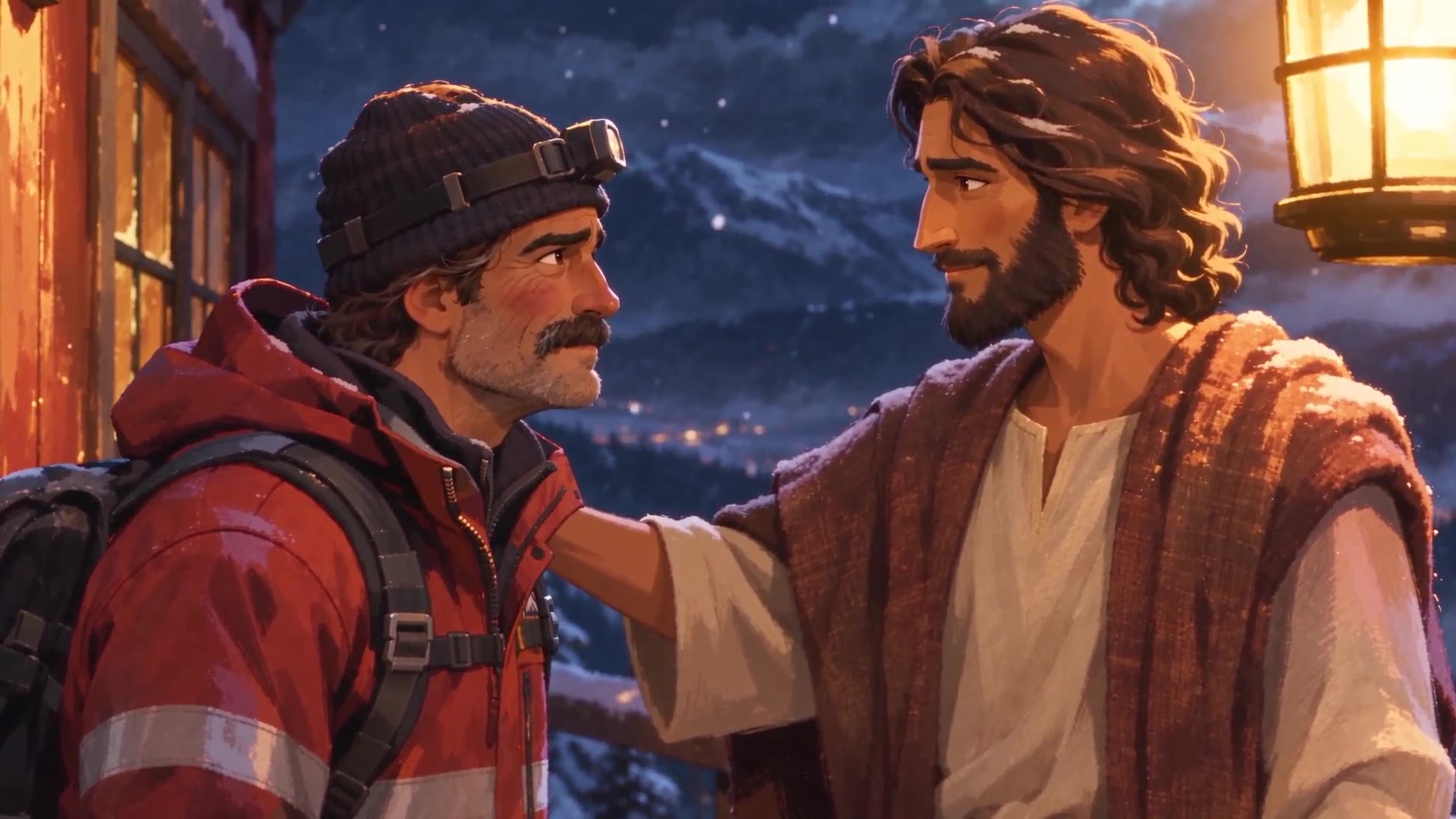
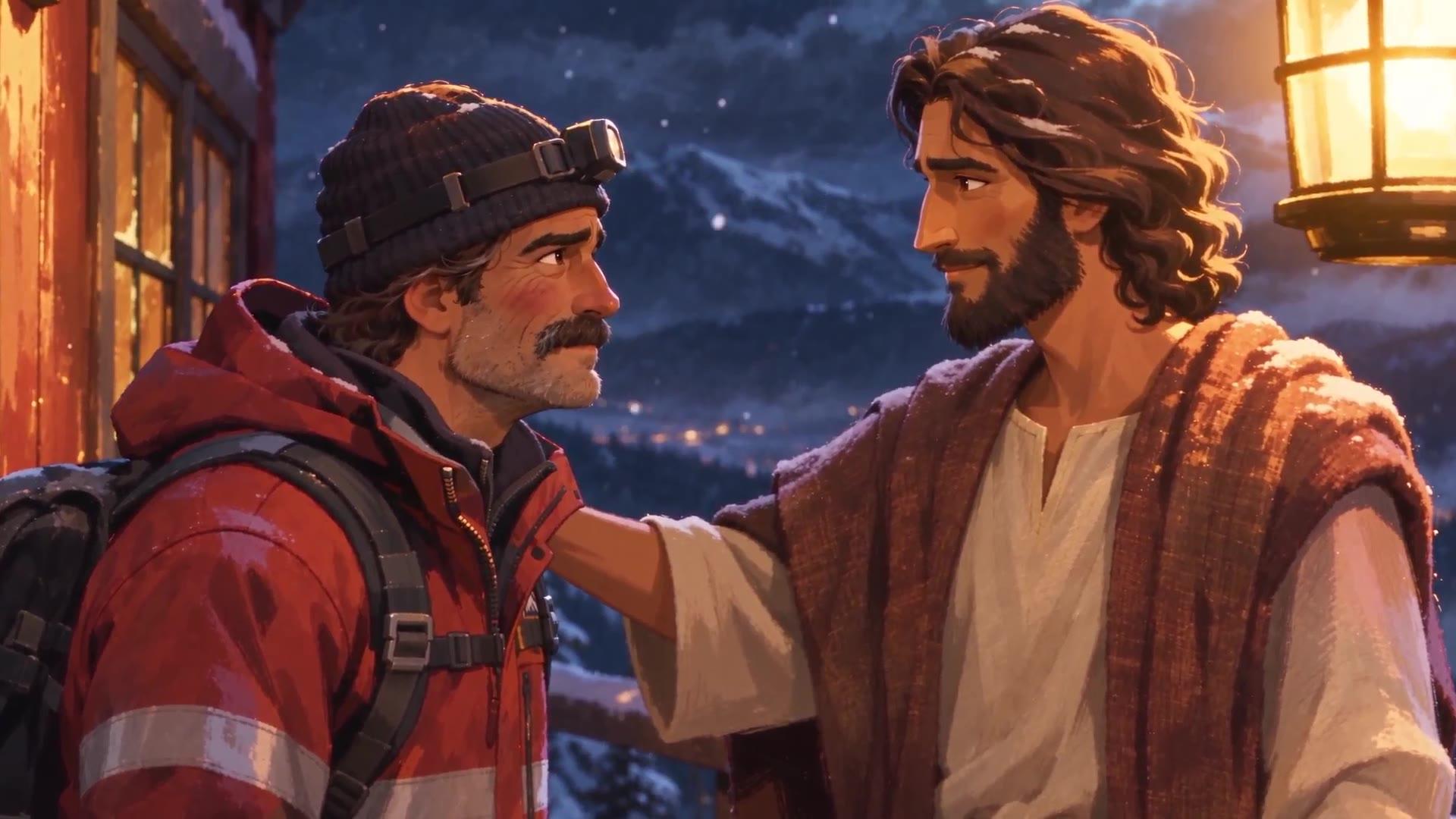
This was made in one evening: Never Alone, an 87-second animated short about a lonely mountain rescue ranger, stuck on a ridge with Jesus on a snowy night. The script went into Director Chat in Pray Studio and the rest was directed in plain English. Here is the whole method, the real cast, voice and place descriptions, the lesson that cost a round of takes, and a button that opens the full script in Director Chat so you can press send.
Made in Director Chat, in one evening
- Made in
- Director Chat
- Style
- Living Comic
- Engine
- Seedance 2.5
- Length
- 1:27
Watch the film
Never Alone.
Luke 15, on a mountain.
A search-and-rescue ranger named Walt admits he loses himself on purpose, to see if anyone would come looking. Jesus tells him he would, and that he is glad he did.
How Never Alone was made: A 22-shot script went into Director Chat. The Director built three scenes from it, made a character sheet for Jesus and for Walt, designed their voices, drew four places, and rolled the film as four 30-second takes on Seedance 2.5, every one a 480p draft first. Then it scored the film, cut it to plain-English audio notes, and finalized the four keepers at 1080p.
The short answer
How to make an AI Jesus video
in Pray Studio.
To make an AI Jesus video in Pray Studio, open Director Chat and paste your script. The Director builds the scenes and shots from it, writes a description of Jesus and your other characters and makes a character sheet for each one, designs their voices, makes a picture of every place, rolls each shot as a cheap 480p draft, scores the film and cuts it. You approve every step and its credits before it runs. Never Alone, the 87-second film on this page, was made this way in one evening.
- 01
Paste the whole script, not a sentence.
Never Alone started with 22 numbered shots, each with its length and its line, plus a cast list and one "recurring look" paragraph. The Director built three scenes from it in one reply.
- 02
Roll 30-second takes, one per place.
Twenty-two takes of 4 seconds came back with the wrong man speaking and faces that drifted. Four takes of 30 seconds, one for each place, kept both actors steady from the first line to the last.
- 03
Draft at 480p, finalize only the keepers.
Every take, every redo and every extension was a 480p draft, cheap enough to get wrong. The four 1080p finals were the only full-price step, and they were the last one.
The method
Five steps,
in the order the film was made.
Each step below is one part of the chat. The Director does the work; you say yes, no, or what to change. Every step is priced in credits before it runs.
- 01
Paste the whole script into Director Chat
Open Director Chat, pick Wide 16:9, and paste the script: a title, a length, a style, a cast line, a recurring look, and every shot with its length and its line. The Director reads it, flags anything it would change, and builds the scenes and shots when you say yes.
- 02
Cast Jesus and the ranger, then give them voices
Choose a Jesus from the library or ask for a new one. The Director writes the description, prices a character sheet, and makes it when you approve. Then it designs three voice previews from a written brief. Reject them in plain words until one sounds right.
- 03
Build the places
One picture per place, from a description the Director writes: the ridge, the hut, the overlook. If a scene needs a place the script did not name, say so and it draws another.
- 04
Roll the takes as 480p drafts, in 30-second pieces
Ask for one take per place, about 30 seconds each, with the talking starting on the first frame. Watch the drafts, redo the one that went wrong, and extend the ones that need room to breathe.
- 05
Score it, direct the editor in plain English, finalize at 1080p
Ask for a quiet score and a cut. Give the editor notes by timecode, the way you would to a person. When the cut sounds right, price the 1080p finals for the keepers and export.
Step 1 · The script
Paste the whole script,
then say yes.
The first message can be the entire film: a title, a length, a style, a one-line cast, a paragraph on the recurring look, and 22 shots, each with its length in seconds and its line of dialogue.
The Director read it, added the shot lengths up to about 92 seconds, and suggested one change before building: the sign in the last shot quoted Luke 15:6 word for word, and Pray Studio paraphrases Bible verses on screen. It offered “Be glad with me, for my lost sheep is found.” Luke 15:6. Answer “Yes, build the script with that sign wording,” and the Director built three scenes and 22 shots in one reply.
The first message · Scene 1 of 3 · the first 11 shots, as written
THE ONE WHO'S LOST

About 85 seconds · Living Comic style · night, light snowfall

Cast: JESUS · RANGER (a mountain search-and-rescue ranger in his 40s with a thick mustache, a red-orange rescue jacket with reflective stripes and a SEARCH & RESCUE patch, a knit beanie, and a headlamp)

Recurring look: light snow drifting the whole time, never a blizzard. Cold blue moonlight on the snow, warm amber from lanterns and the stove. Steam on the breath when they're outside.

---

EXT. MOUNTAIN RIDGE - NIGHT

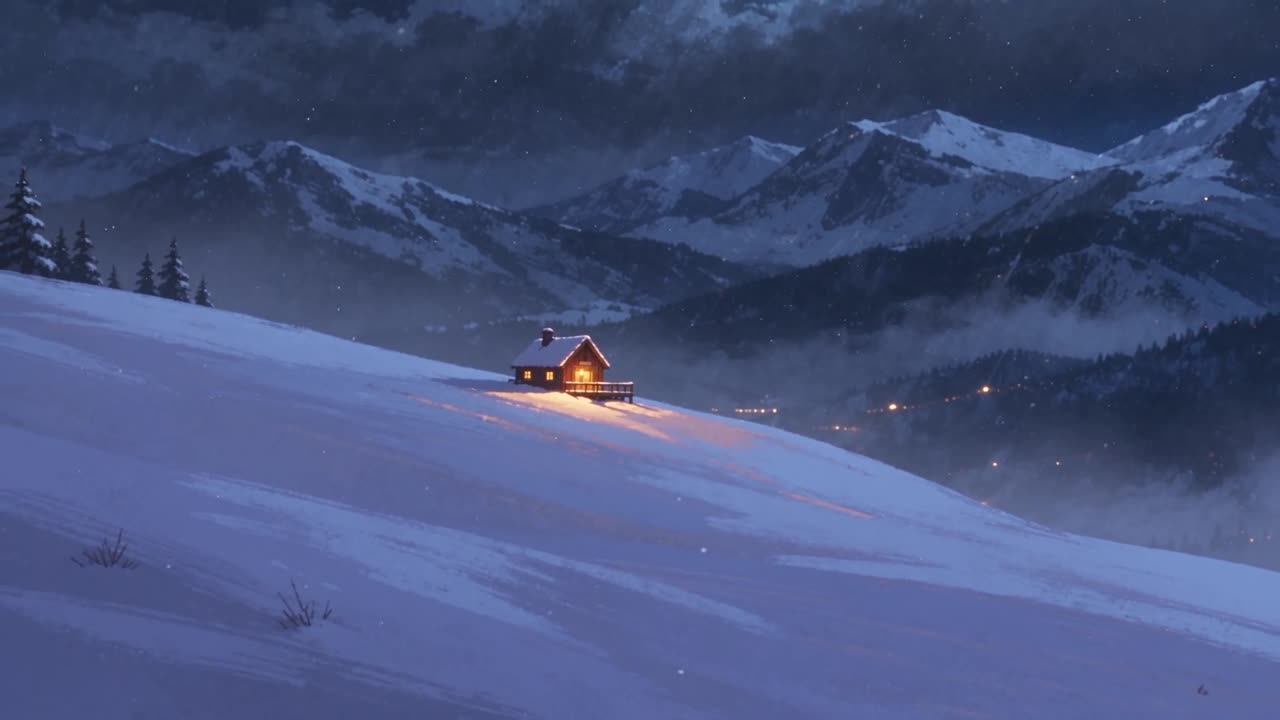
Shot 1 (4s). An establishing wide. A small wooden ranger hut on a snowy ridge, its windows glowing amber, and an orange snowcat stalled beside it with its headlights flickering. Light snow drifts through the frame.

INT. RANGER HUT - NIGHT

Shot 2 (5s). A medium shot. The RANGER crouches by a dead fuel gauge and a crackling radio, with a headlamp beam in his hands. Snow melts on his shoulders.

▎ RANGER: Jesus, we're stuck on this mountain and the snowcat's out of fuel.

Shot 3 (3s). A wide shot of the hut interior: a wood stove, maps pinned to the wall, frosted windows. JESUS sits calmly on a bench across from him.

▎ RANGER: I can't get us down.

Shot 4 (3s). A close-up of JESUS, warm stove light on his face, gentle.

▎ JESUS: My son, did you radio for help?

Shot 5 (4s). A medium close-up of the RANGER, who gives a tired half-laugh and clicks his flashlight off.

▎ RANGER: I'm usually the one finding people when they get lost.

Shot 6 (4s). The same shot, a tighter push-in. He looks down.

▎ RANGER: And now I'm the one who's lost.

Shot 7 (3s). A wide shot from behind. The RANGER stands and walks to the frosted window. Snow falls outside. A silent beat.

Shot 8 (3s). An over-the-shoulder shot of the RANGER at the window, his breath fogging the glass.

▎ RANGER: But you know what?

Shot 9 (3s). A close-up of the RANGER's face reflected in the window, with snow drifting behind the glass.

▎ RANGER: I don't think I want to go down.

Shot 10 (3s). JESUS rises and steps toward him, head tilted.

▎ JESUS: Why don't you want to go down?

Shot 11 (4s). The RANGER in profile against the window, softly.

▎ RANGER: It's quiet up here. Nobody needs anything from me.
Scenes 2 and 3 are not on this page. The rest of the script, and the four 30-second prompts the Director wrote from it, open inside Director Chat. The button puts the whole script in the box, so you press send and the Director builds it for you.
Step 2 · The cast
Cast Jesus and the ranger,
then give them voices.
The Director offered Jesus actors from the library on choice cards. You can pick one or ask for a new one. Asked for a new one, the Director wrote this description, priced a character sheet at15 credits on GPT Image 2.6 Sunburst Pro, and made it on approval. Then the same for Walt.
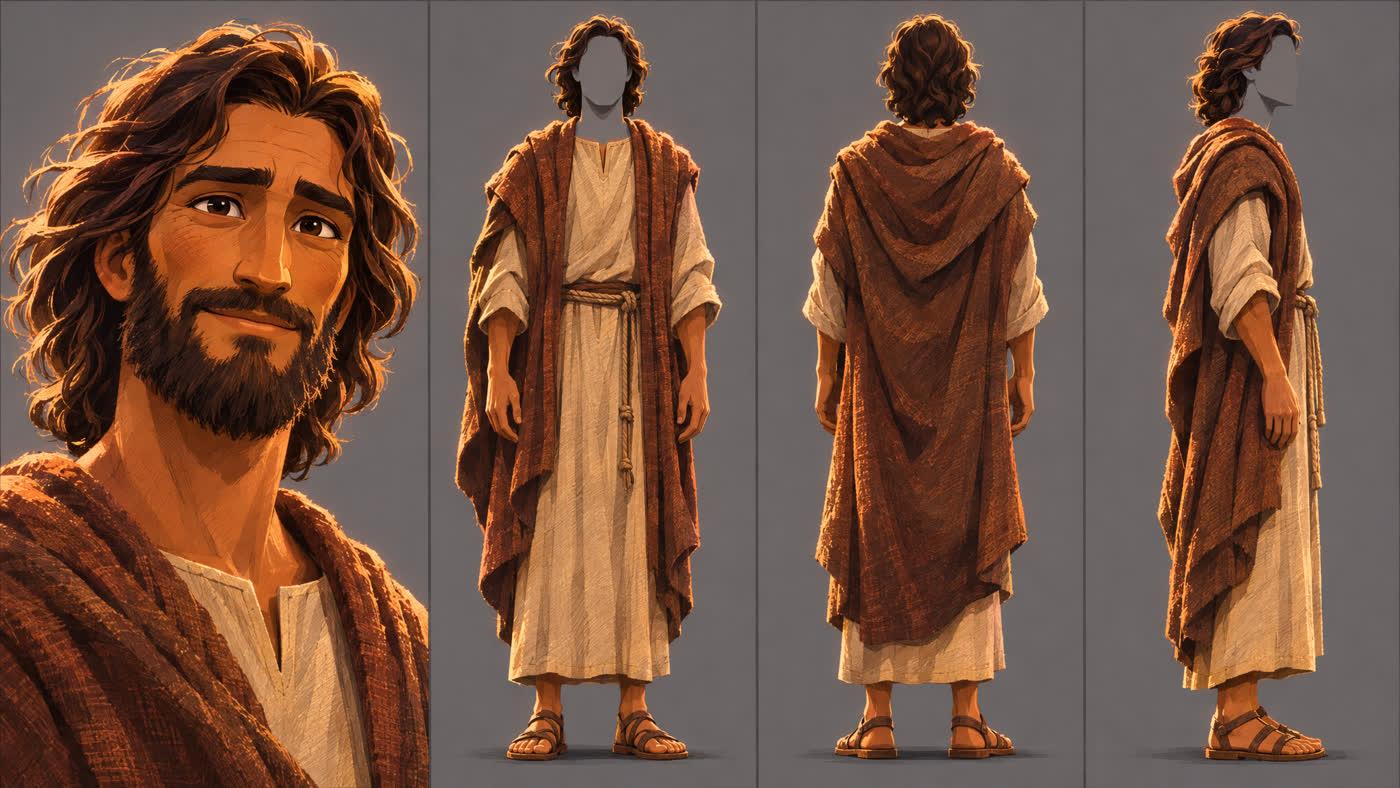
The description, as the Director wrote it
Yeshua of NazarethJesus
Jesus, a Middle Eastern man in his early 30s, lean and strong from years of carpentry and walking. Warm olive skin, a kind face with gentle dark brown eyes and soft laugh lines, a calm, unhurried presence. Shoulder-length dark brown wavy hair, a short full dark beard. Wears a simple undyed cream linen tunic under a heavy earth-brown wool cloak draped over his shoulders against the cold, a plain rope belt and worn leather sandals. Quiet compassion in his expression, as if he has all the time in the world for you.
The voice brief that finally worked, preview 3 of the fourth round
English with a natural Israeli Hebrew accent. A real 35-year-old man, warm and grounded, with a relaxed, conversational, human delivery. Gentle and kind, unhurried, with natural breaths and pauses and a soft smile in his voice. He speaks tenderly to a tired friend.
Each preview read these lines: My son, did you radio for help? Why don't you want to go down? Is that why you're up here all alone? If you were lost, I'd search for you. And I am so happy I found you.
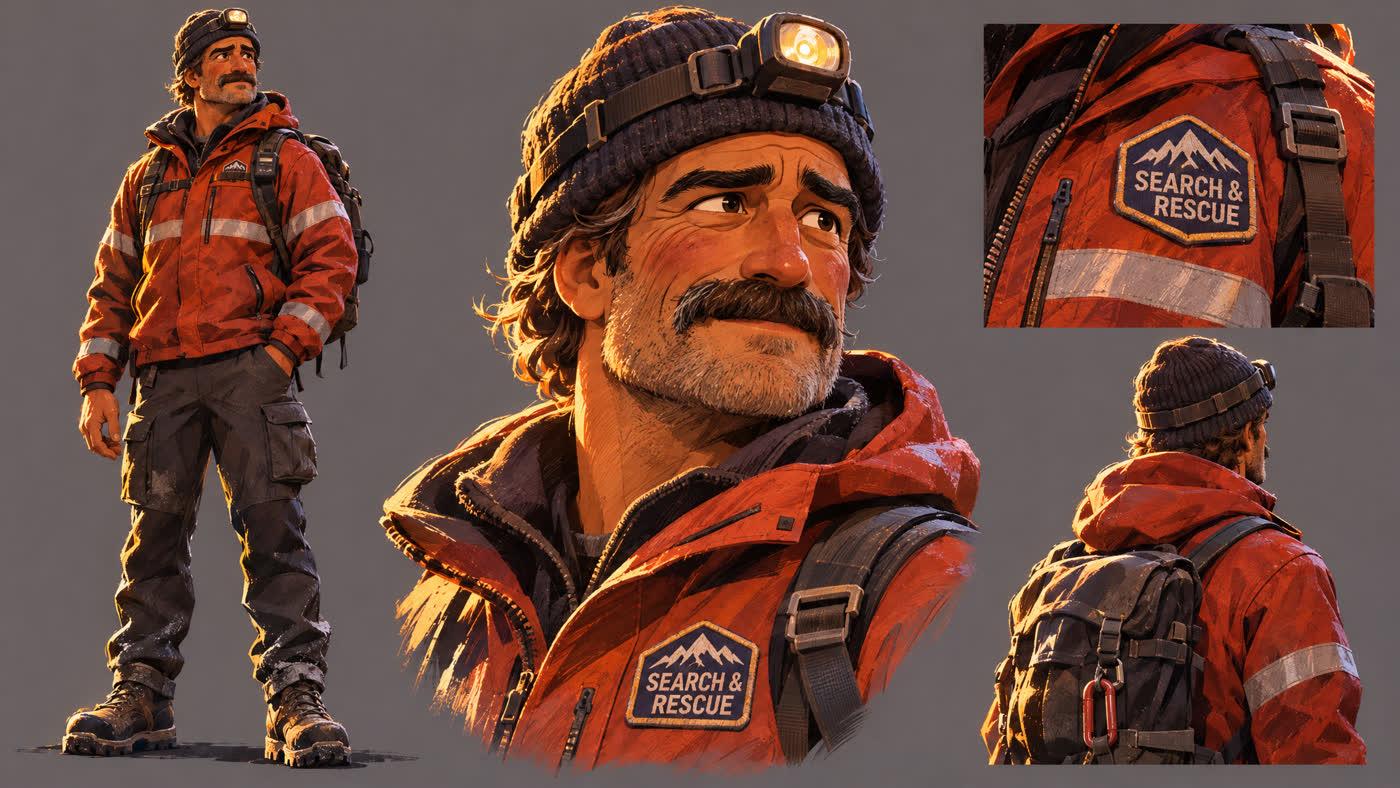
The description, as the Director wrote it
Walt BrennickThe Ranger
A mountain search-and-rescue ranger in his mid 40s, broad-shouldered and sturdy, weathered ruddy skin with crow's feet and a tired, kind face. Thick bushy brown mustache flecked with grey, light stubble, deep-set hazel eyes. Wears a red-orange technical rescue jacket with silver reflective stripes and a SEARCH & RESCUE patch on the chest, a charcoal knit beanie, a headlamp strapped over the beanie, dark insulated cargo pants and heavy snow boots. Modern day.
The voice brief, preview 1 of the first round
American English, a weathered mountain ranger in his mid 50s. Gravelly, low, lived-in voice, worn out after a long hard day but warm and kind underneath. Natural, conversational and human, with relaxed pacing, real breaths and short pauses, never announcer-like.
Each preview read these lines: I've been up on this mountain thirty years. Pulled a lot of folks off these ridges. But tonight... I don't know. I guess I'm the one who's lost. Funny thing, I never thought anybody would come looking for me.
Walt’s voice was right on the first round. Jesus’s took four. You can turn down a round in one sentence, and the Director rewrites the brief each time. The change that worked was not the accent, which had been in the brief since round two, but asking for a real man with a relaxed, human delivery.
Step 3 · The places
One picture
for every place.
Three places came from the script. When the Director wrote the shot prompts it noticed scene 3 needed the hut’s own porch, not a rocky overlook, and asked to draw a fourth. Each picture was 9 credits on GPT Image 2.6 Sunburst Pro.
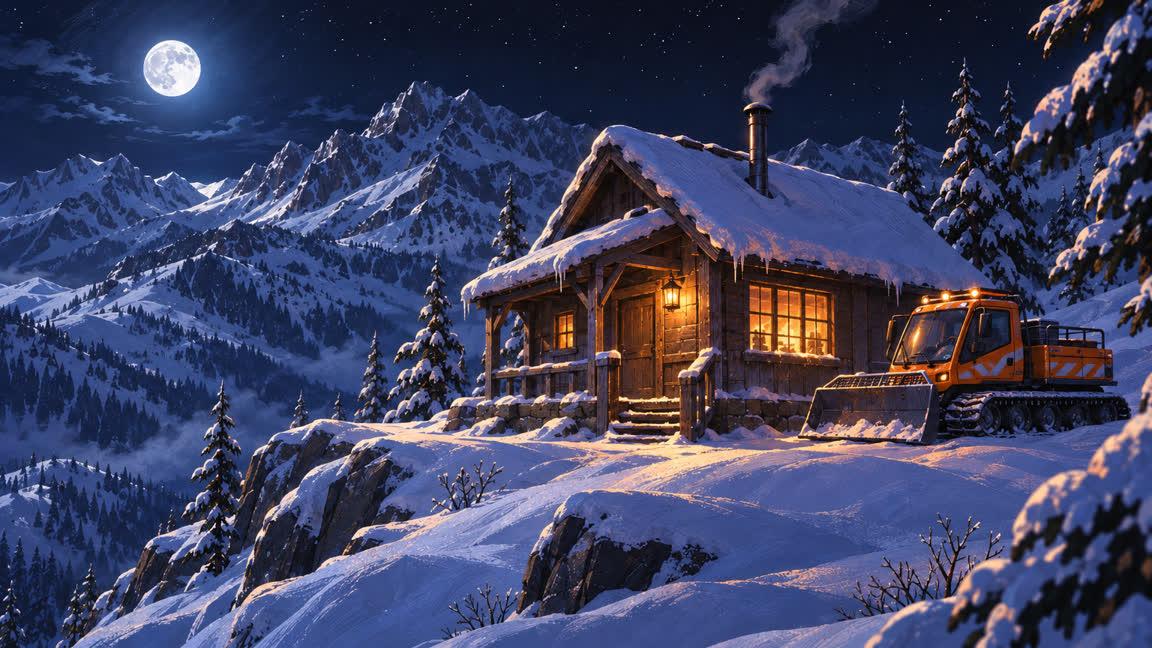
Stranded Ridge Ranger HutScene 1
A small, weathered wooden ranger hut on a narrow, snowy mountain ridge at night, present day. Steep pitched roof heavy with snow, a stovepipe trailing thin smoke, and windows glowing warm amber. An orange modern snowcat with reflective decals is parked beside the hut. Deep untouched snow on the ground, jagged pine-dotted peaks all around, a clear black sky with a bright moon washing the snow in cold blue light. Quiet and isolated.
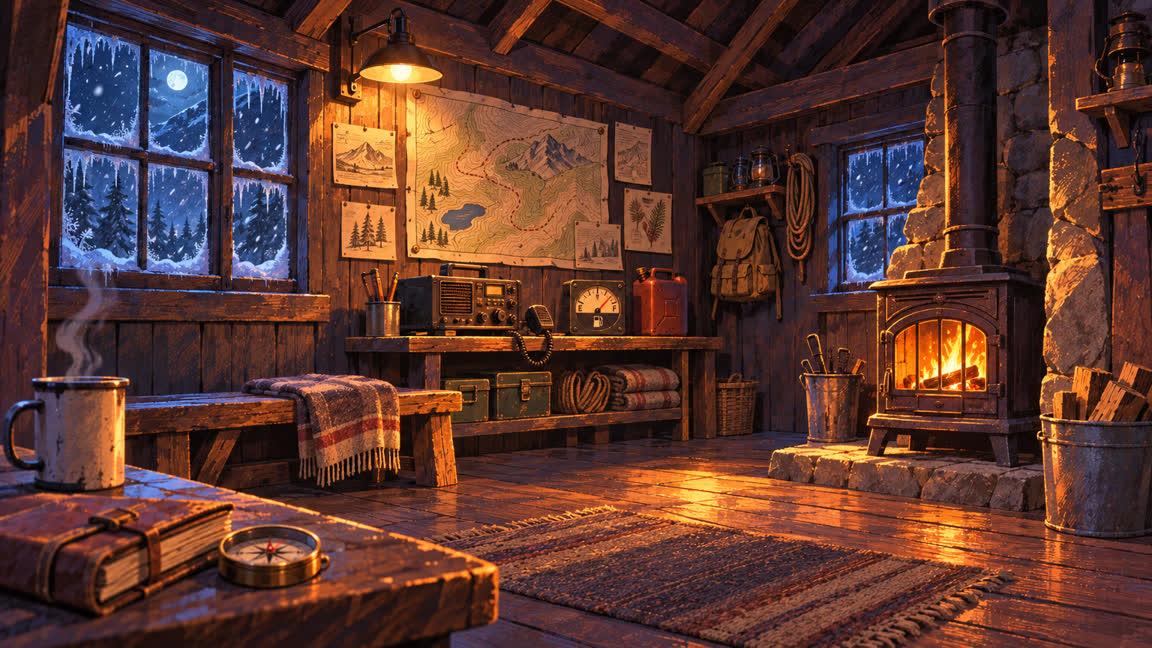
Ranger Hut InteriorScene 2
The inside of a small, rustic mountain ranger hut at night, present day. Rough wooden plank walls covered with hand-drawn trail maps, a cast-iron wood stove glowing amber in the corner, a simple wooden bench, a radio set and a fuel gauge on a shelf, worn floorboards. Small frosted windows rimmed with ice show snow drifting outside in cold blue moonlight. Warm, cozy, lived-in, lit mainly by the stove's firelight.
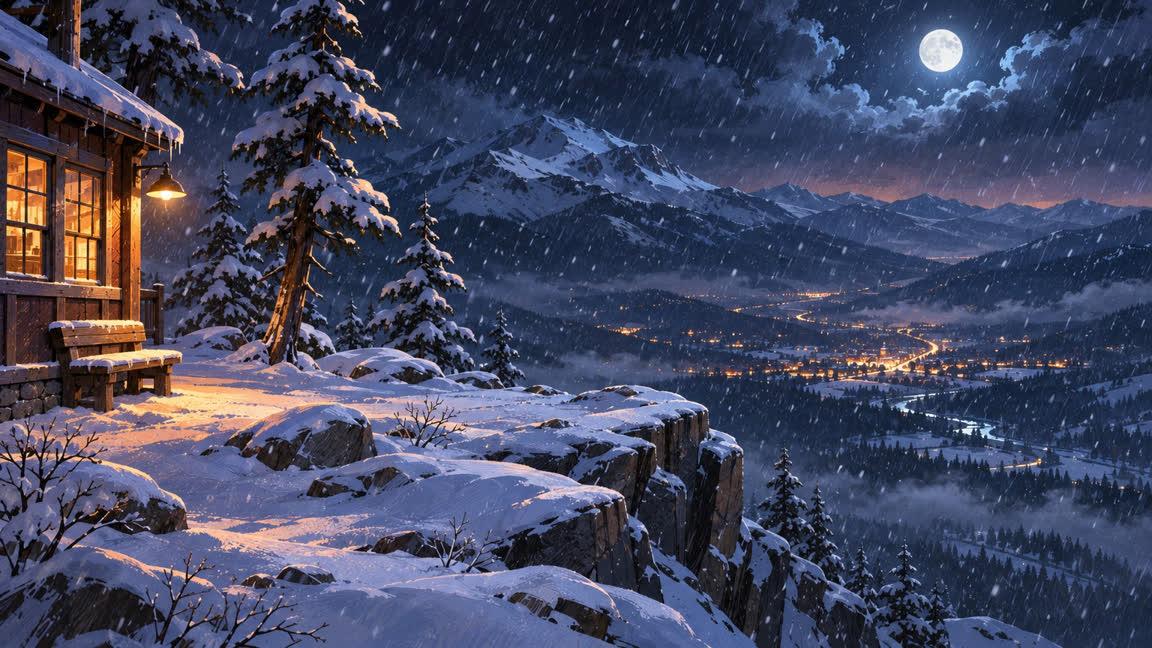
Snowy Mountain OverlookScene 3, first draft
A high, snow-covered rocky overlook on a mountainside at night, present day, a short walk from a ranger hut. A few snow-laden pines at the edge, a sheer drop to a wide valley far below where a small town's lights twinkle warmly. Snow falls gently and steadily. Cold blue moonlight washes the slopes, with a faint warm glow from the town on the horizon.
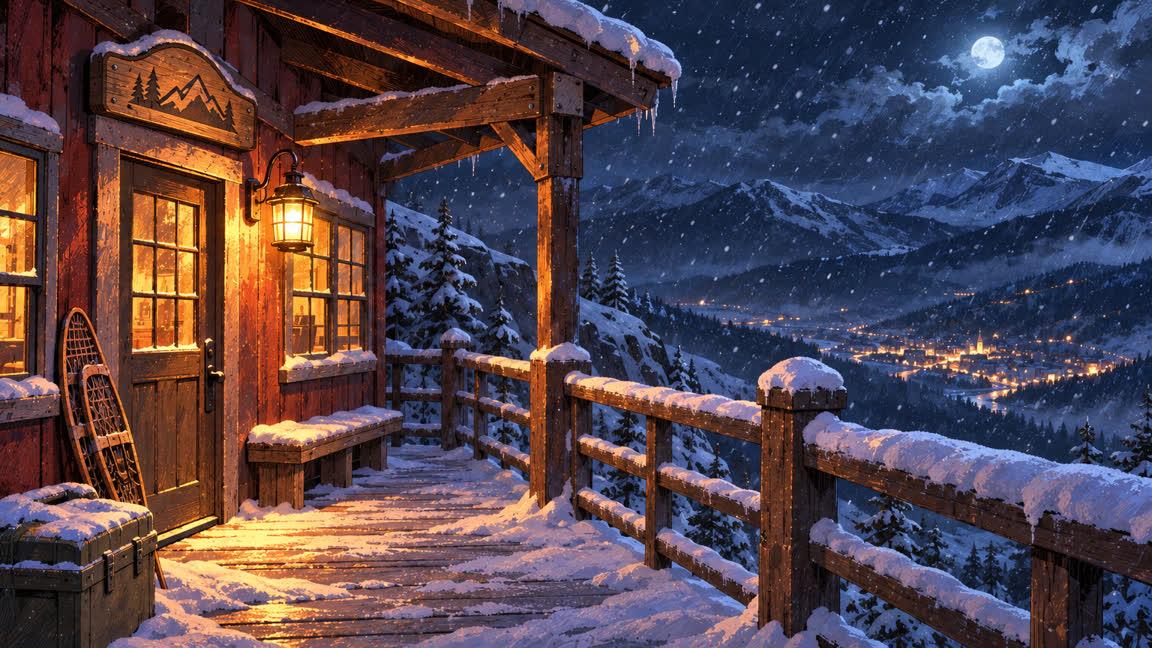
Ranger Hut Porch OverlookScene 3, the one in the film
The snowy front porch of a small, weathered wooden ranger hut on a high mountain ridge at night, present day. Sturdy wooden railing and posts dusted with fresh snow, snow-laden porch planks, a warm lantern beside the door and a carved wooden sign mounted above the door frame, golden light spilling from the door and windows onto the snow. Beyond the railing, a steep snow-covered mountainside drops away to a wide valley far below, where a small town's lights twinkle warmly. Snow falls gently and steadily, cold blue moonlight washes the slopes, dark ridgelines frame the view. Quiet and isolated.
Step 4 · The takes
Roll 30-second takes,
not 22 short ones.
This is the lesson of the film. The first round followed the script exactly: 22 takes of 4 to 6 seconds, 60 to 90 credits each at 480p, about 1,600 credits in all. They came back inconsistent.
“You can’t create 22 shots of 4 seconds each. You need to build this in 30-second generations, so that there is more consistency in the video.”
The note to the Director after the first round
The Director went back through all 22 shots and agreed: lines had landed on shots where the speaker was tiny or off screen, so the engine guessed who said them; every take started from scratch, so faces, clothes and light drifted; and the two silent shots were refused outright. It rewrote the film as four takes of about 30 seconds, one per place, with every line still in and the speaker always on camera.
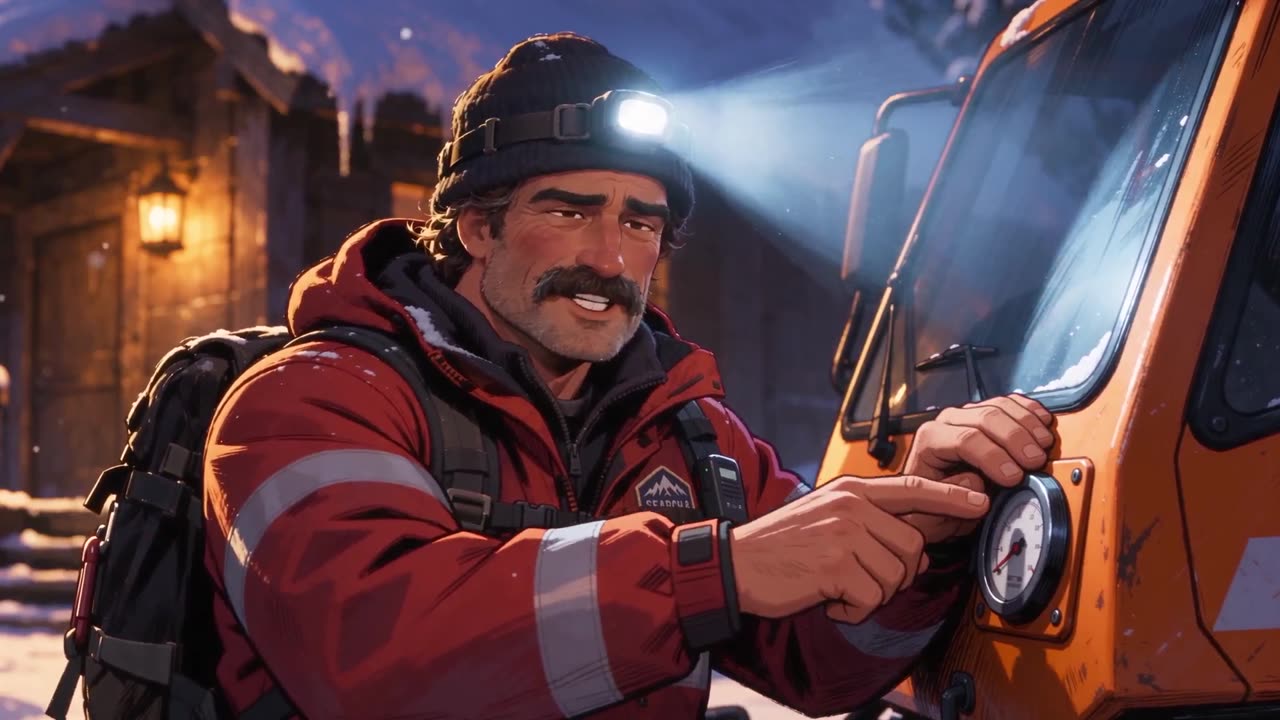
20 s · the ridge
Take 1 · The dead snowcat
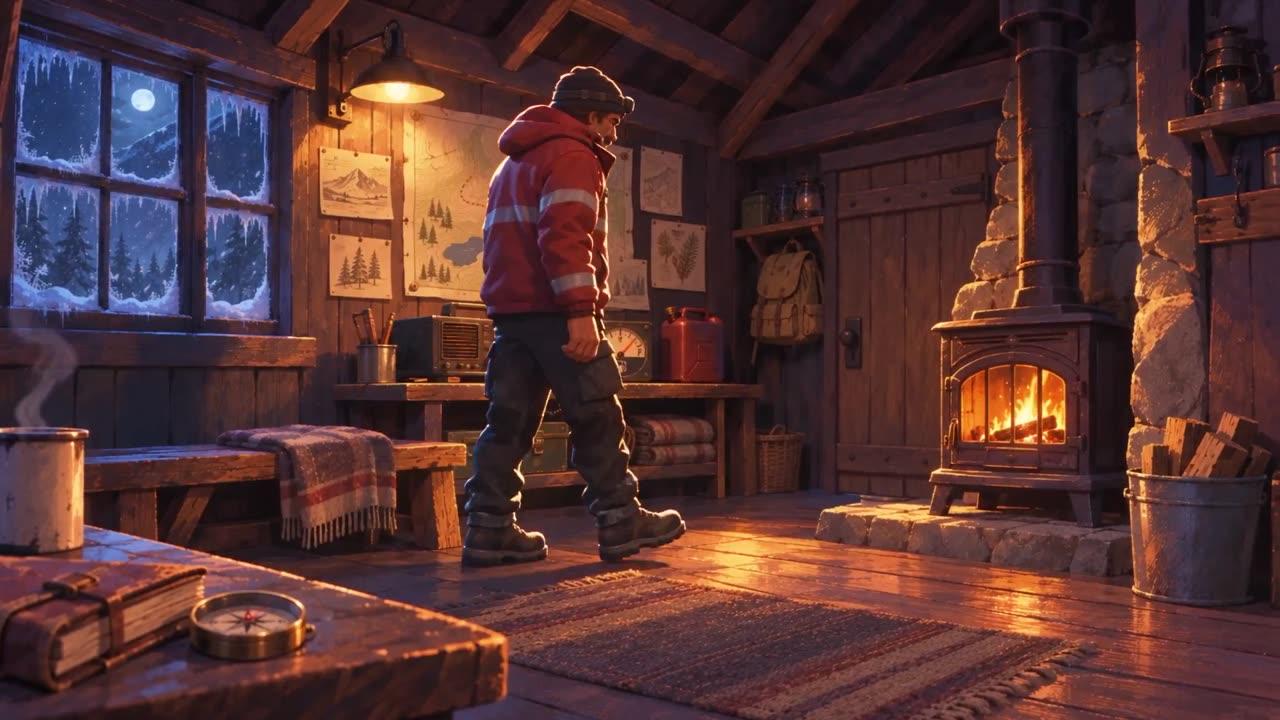
18 s · inside the hut
Take 2 · At the frosted window
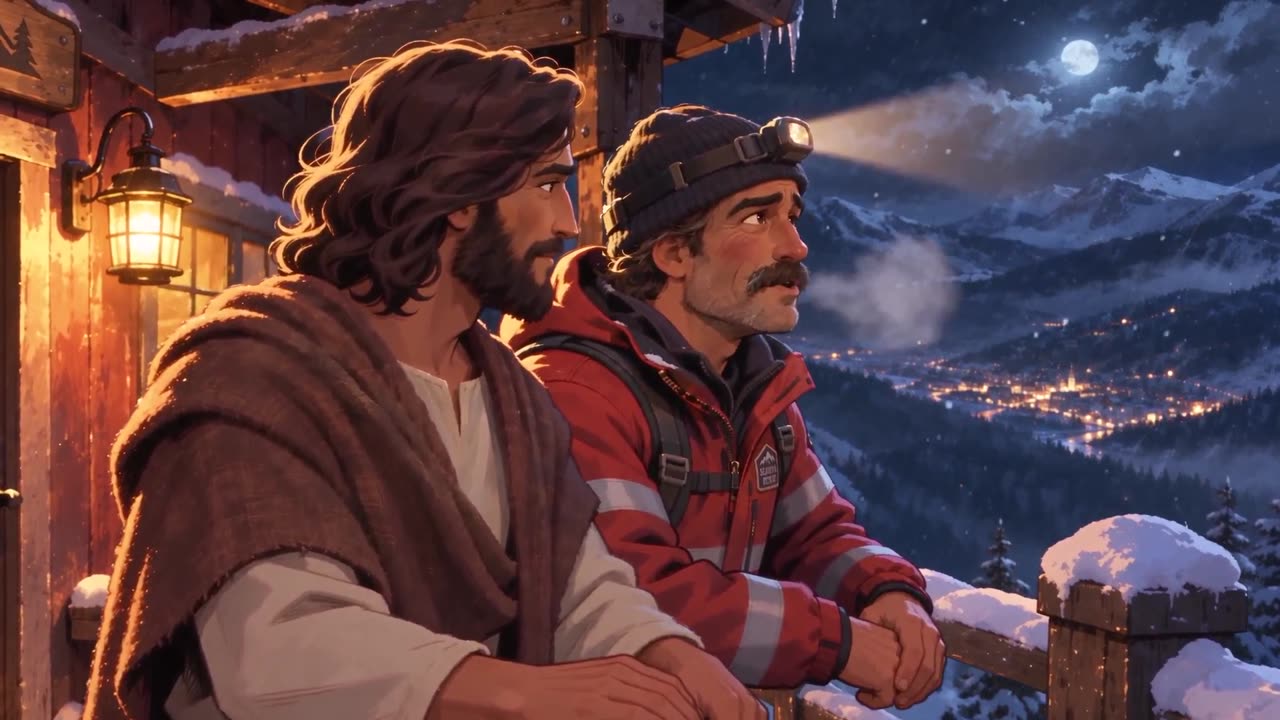
29 s · the porch
Take 3 · At the railing
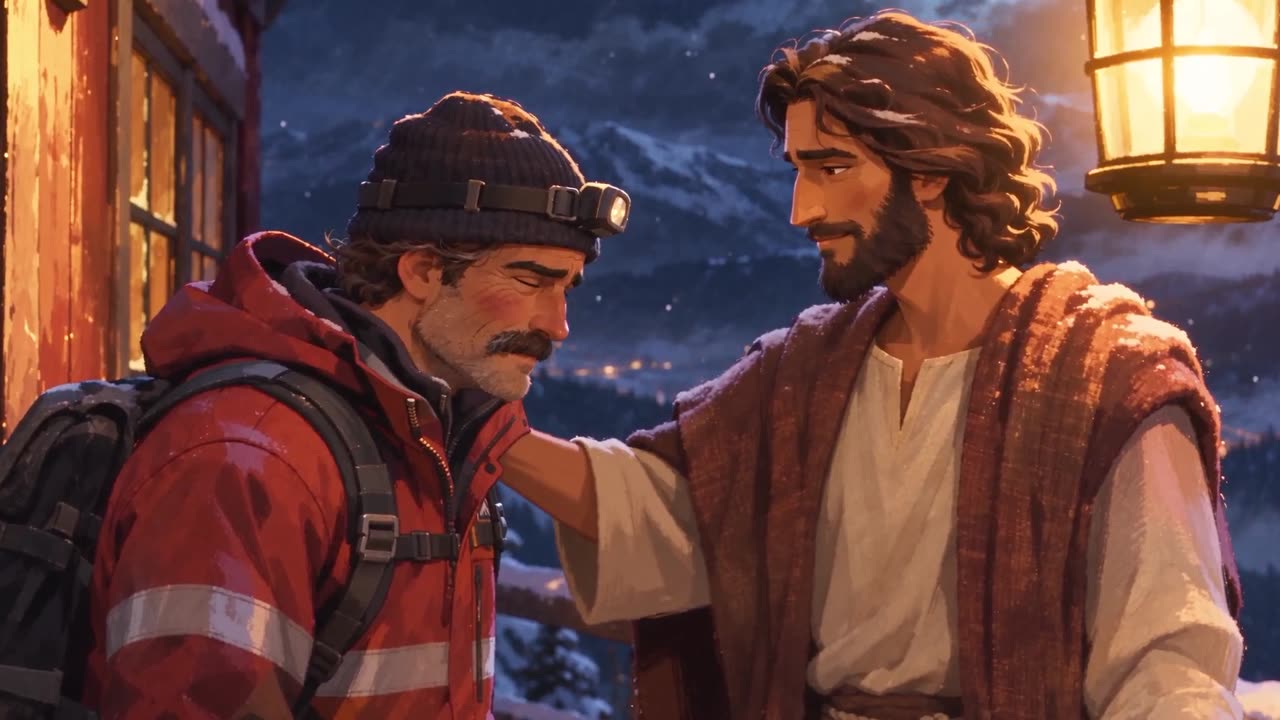
20 s · the porch
Take 4 · Found
The four drafts were not the end either. Three more rounds of notes, each in plain English, got the film to the cut you watched. Every one of them was a 480p draft, 200 to 450 credits a take.
- 01
Start the talking right away
In the first new take the first line did not arrive until 8 seconds in, and in the second until 10. That is dead air, so tell the Director: "Keep the script as it is and shorten each take to fit its lines, starting the talking right away." The four takes came back at 14 to 25 seconds.
- 02
Redo the one that went wrong
In take 4 a helicopter flew into frame on its own and music crept in at the end. Ask for it again at about 20 seconds, "so that there is some space", because an emotional film needs room to think and feel what is being said.
- 03
Extend the ones that need room
Takes 1 to 3 each got 4 more seconds with a new silent ending: Walt turns and walks to the hut, Walt goes to the door, and Walt turns to Jesus with his head down. All three were keepers.
Draft at 480p, learn cheap. The first round, the rebuild, the shortened takes, the redo and the extensions together came to about 4,200 credits. That is the whole learning loop of this film, and it cost less than the four 1080p finals at the end. Make your mistakes in drafts.
Step 5 · The cut
Score it, then talk to the editor
the way you would to a person.
Ask for “a quiet, gentle score for the film, about 90 seconds, sitting softly under the dialogue.” The Director writes a prompt like this one for Eleven Music, 34credits, and cuts the film to it.
The score prompt · Found In The Cold · Eleven Music · 90 seconds
Quiet, gentle, emotional instrumental score for a tender, reflective short film about a lonely mountain ranger and Jesus on a snowy night. Sparse solo piano with soft sustained strings (cello and violas) and a faint warm pad, slow tempo around 60 BPM, in a warm minor key that slowly turns hopeful. Shape: opens with a few soft, lonely piano notes in cold stillness; stays very sparse and low under spoken dialogue through the middle, with long held notes and plenty of space; gently swells with warm strings in the final third as the man is embraced and found, resolving into a hopeful major chord; ends on a soft, lingering piano note that fades out. It must sit softly under the dialogue: no drums, no percussion, no vocals, no choir, no big crescendos, no busy melodies.
You can ask for alternates to compare. Here there were three (Fireside Grace, Thaw on the Summit, Quiet Arms Open), and after hearing the film with the guitar score, the first one won. The notes that mattered most were about the clips themselves: a Seedance 2.5 take sometimes carries its own music, and it has to be ducked without losing the footsteps or the wind. Here is the note, word for word.
“Sometimes the Seedance 2.5 clips have music in them that I want you to take out by turning down the volume. At 0:33 right after he says "Somebody always needs something" and then Ranger starts walking, music starts to play from the video clip, can you turn that music down, but keep the sound of his footsteps in. And then at 1:16 in that clip, music starts to play from the Seedance clip can you turn it down in between then and 1:19 right before Jesus talks, then turn the audio back up so we hear Jesus, then when Jesus is finished talking at 1:21 you can turn the music from the clip back down. Then on the next cut at 1:22 you can turn the volume down again since that clip has music too.”
The note to the editor in Director Chat
The editor split the clips at those times and set a volume on each piece:
- Spoken lines play at full volume.
- Walt's walk, from about 0:34: the clip's own sound stays at 25%, so its music drops away and his footsteps can still be heard.
- From 1:16 to 1:19: the clip's sound is down to 15%.
- From 1:19 to 1:21: it comes back up to full for Jesus's line, "And I am so happy I found you."
- From 1:21 to the end: it is back down to 15%, through the next cut and the final shot.
A second note tightened two spots to the second (0:34 to 0:36 down to 10 percent before the door opens, 1:22 to 1:24 down to 5 percent, then up a little so the wind is just audible). When it sounded right, the 1080p finals were priced for the four keepers, the Director swapped them into the cut, and the film exported with every volume change kept.
What it cost
About $160
of a Studio plan’s month.
Every step in Director Chat is priced in credits before it runs, so you always know. Here is what Never Alone used, counted the way a Studio member would see it.
$160of a Studio plan’s monthly credits
- The whole film, start to finish, used about $160 of a Studio plan’s monthly credits. The Studio plan is $499 a month for 36,000 credits, so that is credits times the plan’s price per credit.
- Drafts are cheap enough to get wrong. A short 480p take was 60 to 90 credits and a 30-second one 200 to 450. The entire learning loop, every redo included, was about 4,200 credits.
- Finals are where the money goes. The four 1080p finals were the single biggest line, more than everything before them put together. Finalize only the takes you are keeping.
- Everything else was small: two character sheets at 15 credits each, four place pictures at 9, four score options at 34, and the voice previews.
Your own story
Start from this script,
or write yours the same way.
The button opens Director Chat with the whole Never Alone script in the box. If you would rather tell your own story, this is the shape the Never Alone script took. Copy it, fill in the brackets, paste it into Director Chat and press send.
A starter brief for Director Chat · fill in the brackets
Here is my script:
[TITLE]

About [85] seconds · [Living Comic] style · [night, light snowfall]

Cast: JESUS · [NAME] ([who they are, their age, what they wear, the two or three details the camera will always see])

Recurring look: [the weather, the light, and one thing that repeats in every shot].

Build it as 30-second takes, one per place, and start the talking on the first frame.

---

EXT. [THE FIRST PLACE] - NIGHT

Shot 1 (4s). An establishing wide. [What we see, and the one thing that tells us something is wrong.]

Shot 2 (5s). A medium shot. [What NAME is doing when we meet them.]

▎ [NAME]: [The first line.]

Shot 3 (3s). A close-up of JESUS, [the light on his face].

▎ JESUS: [His answer, short.]

[Keep going, one shot per beat, each with its length and its line. Move to a second place when the conversation turns. End on an image, not a speech.]
The full tutorial
Watch the whole thing
made in Director Chat.
Questions
Questions about making an AI Jesus video.
- What is Director Chat?
- Director Chat is the chat front door of Director Mode in Pray Studio. You tell the Director what the film is, or paste a script, and it writes the scenes and shots, casts the actors, designs their voices, builds the places, rolls every take, scores the film and cuts it. Every step is priced in credits and runs only when you approve it. The film opens on the Board in Director Mode at any time.
- How long does it take to make an AI Jesus video like this?
- Never Alone took one evening. The script went in at 2:44 in the afternoon and had the finished 1080p film at 8:04, about five hours of chat, most of it waiting on drafts to render. A first version with fewer redos would be faster.
- What does an AI Jesus video cost?
- Never Alone used about $160 of a Studio plan's monthly credits (the Studio plan is $499 a month for 36,000 credits). The 480p drafts were cheap enough to get wrong: 60 to 90 credits for a short take and 200 to 450 for a 30-second one. The four 1080p finals were the biggest line, so only finalize the takes you are keeping.
- Can I use my own story instead of this script?
- Yes. Paste your own script into Director Chat the same way, or start from the brief on this page and fill in the brackets. The Director builds whatever you give it: a parable, a sermon illustration, a story from your own life with Jesus in it.
- Does it put Bible verses on screen?
- It paraphrases them. The script quoted Luke 15:6 word for word on the sign above the door. The Director offered a paraphrase first, "Be glad with me, for my lost sheep is found." Luke 15:6, and in the final take carved a shorter line the engine could letter cleanly: "The lost one is found. Luke 15."
- What engine makes the video?
- Seedance 2.5 makes every take, with the dialogue, lip sync and natural sound in the same pass. The character sheets and the place pictures are GPT Image 2.6 Sunburst Pro. The score is Eleven Music, and the two voices were designed in the chat from a written brief.
- Why 30-second takes instead of one take per shot?
- Because every take starts from scratch. Twenty-two short takes meant twenty-two chances for a face to drift or the wrong man to speak. One 30-second take per place keeps both actors steady across several cuts, and the engine cuts inside the take for you.
- What is the Living Comic style?
- Living Comic is one of the built-in visual styles in Pray Studio: an animated, painterly comic look with clean line work and warm, saturated light. Pick it when you make the project and every sheet, place and take is drawn in it.
Your film, directed from a chat
Open the script
and press send.
Director Chat builds the scenes, casts Jesus, draws the places and rolls the takes. You say what to change. Everything in Never Alone is in Pray Studio.
Pray Production Studio is made by Pray.com.