Tool note · Camera Moves
Tool note: preview the camera move before you spend a credit
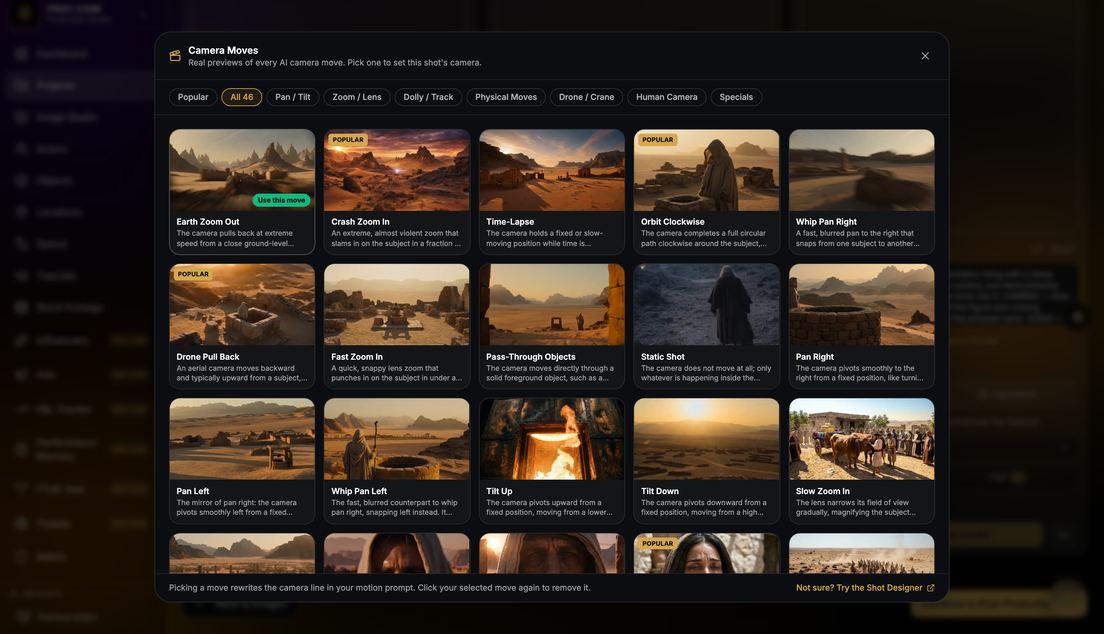
The Camera Move button in your Videos tab opens 46 cinematic movements in seven categories, each with a looping preview clip.
Pick one and it writes a clean sentence into your motion prompt. You can edit it anytime.
How to use it
- Start in Popular: the most-used moves sit up front.
- Watch twice: once for the move, once for speed.
- Edit the sentence: swap in your subject, add one feeling word.
Prompt
[Your shot: who, where, what they are doing]. [The sentence the Camera Move browser adds]. Keep everything else in the frame still.
Try this prompt in Pray StudioOpens Pray Studio with this prompt ready to edit.
Remix it
Pro tipAdd "keep everything else in the frame still" after any move to stop competing motion.
You can't depend on your eyes when your imagination is out of focus.
Mark Twain
One AI video technique a day. Free.
One technique, one paste-ready prompt, every weekday from The Cutting Room.