George Washington AI video · Seedance 2.5 · one 30-second generation
“Lay down your arms, gentlemen,
while you still have arms to lay down.”
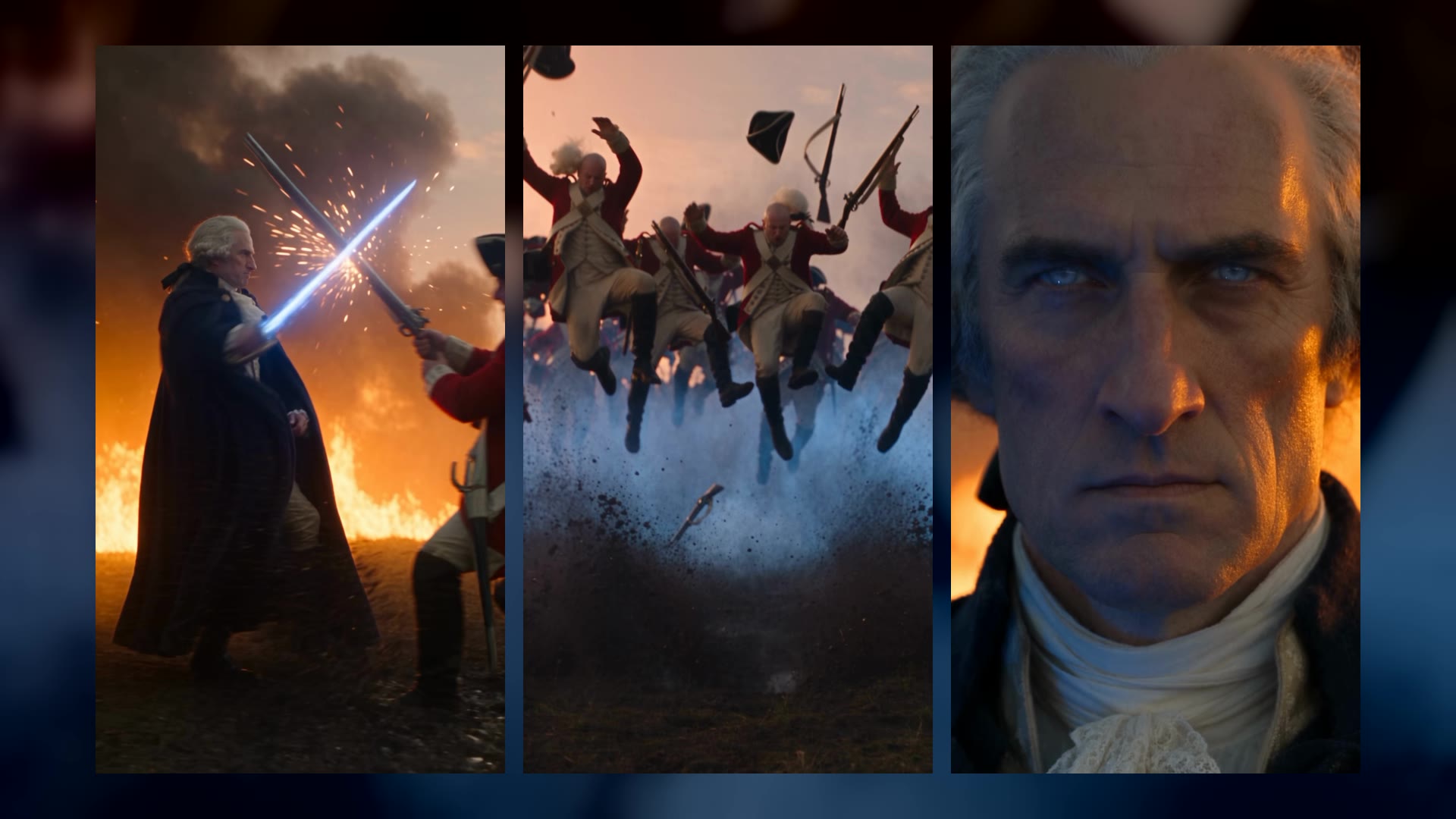
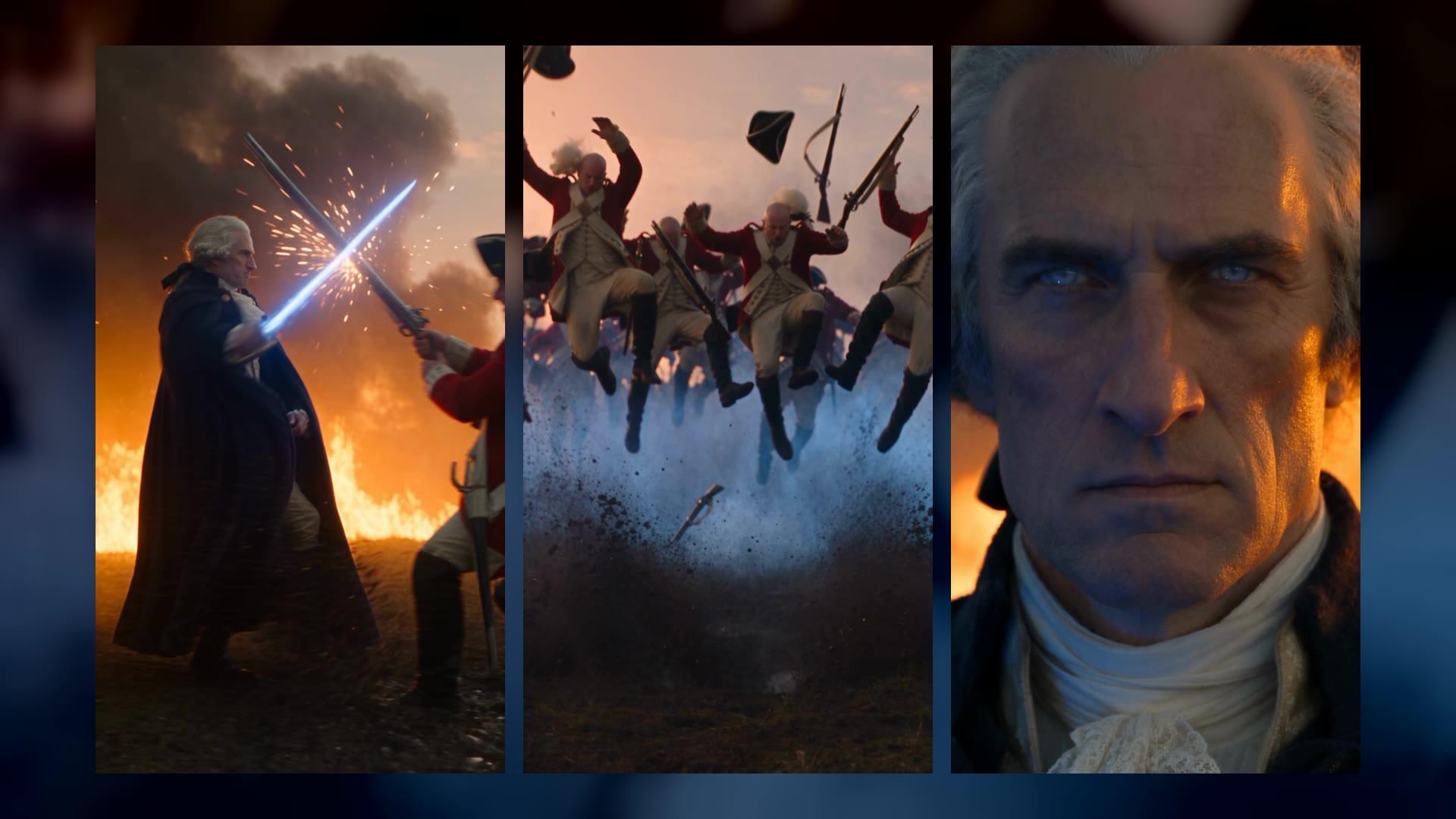
George Washington on a burning 1776 battlefield: three redcoats down, one warning, and a blast that throws a whole line off their feet. Nine shots, made in a single 30-second generation in Pray Studio. Here is the actor, the full prompt with every hard cut, the draft notes that fixed it, and a button that opens the prompt in Create so you can make your own.
Made in Pray Studio · Seedance 2.5 · 1080p
- Engine
- Seedance 2.5
- Length
- 30 s
- Shots
- 9
- Generations
- 1
Watch the film
A George Washington AI video,
nine shots in one take.
How Washington Blast was made: Washington was created first as an actor in Pray Studio, from a written description, so he had a character sheet. One video prompt then directed the whole film as nine shots on their own timecodes, joined by hard cuts: a tracking shot through the fight, a whip pan to a distant redcoat line, a macro close-up for his line, the charge, his palm, the blast, hats and wigs in slow motion, the redcoats in the mud, and his stare. Seedance 2.5 made it as a single 30-second vertical generation, drafted at 480p and finalized at 1080p.
The short answer
How to make a George Washington AI video
in Pray Studio.
To make a George Washington AI video like this one, first create Washington as an actor in Pray Studio from a written description, so he has a character sheet. Then write the video prompt as a shot list: tag the character sheet, describe him in the first line, and give every shot its own timecode with the words HARD CUT. Set Seedance 2.5 to 30 seconds and vertical, make a 480p draft, fix the prompt from what you see, and finalize the best take at 1080p. This film is nine shots in a single 30-second generation.
- 01
Make the actor before the shot.
A written description becomes a character sheet in the Actors tab. That sheet, not his name, is what keeps the same face in every one of the nine shots.
- 02
Write the cuts into the prompt.
One generation can hold a whole sequence. Each shot gets a timecode, a camera, and the words HARD CUT, so the engine edits instead of drifting through one long shot.
- 03
Draft first, then fix what you saw.
The first 480p draft was close but slow, crowded and soft on the big moment. Three notes turned into the shot list that made the final.
The full tutorial · 2:44
Watch the whole thing
made in Pray Studio.
The full prompt
The George Washington AI video prompt,
every word.
This is the prompt that made the film: Seedance 2.5, 30 seconds, vertical 9:16. The button opens it in the Create tab on Video with the length and shape already set, so all that is left is Generate.
Seedance 2.5 · 30 seconds · 9:16 · nine shots
The same general throughout: a tall commanding colonial general in his early fifties, long face, strong straight nose, firm jaw, pale blue-grey eyes, powdered white hair tied at the nape with a black ribbon, long navy-blue wool cloak over a cream silk waistcoat and white lace cravat, buff breeches, mud-spattered black riding boots, a brass-hilted glowing blue energy blade in his right hand. Same face, hair and costume in every shot.

The story: an epic, slightly playful action film edited with fast hard cuts. At sunset on a burning 1776 battlefield, the general walks through the chaos cutting down three redcoats without breaking stride. Across the field a distant line of redcoats forms up. He calmly warns them. They yell "Charge!" and run at him, and he answers with a blast of blue force that throws them off their feet and rips every hat and wig off their heads. The film is a sequence of 9 separate shots joined by hard cuts, listed below.

[0s] SHOT 1, tracking shot moving alongside the general as he strides from screen left to screen right, blade blazing. Three redcoat figures in red wool coats and black tricorns run at him one after another from camera right. He parries the first in a burst of sparks and sweeps him into the mud, ducks the second's musket butt and launches him backward, shears the third's sabre in half and drops him face-first. Fast and brutal, he never stops walking. Cloth inertia, cloak lagging behind every strike, mud splashing from every impact, wall of fire and black smoke behind him against a blood-orange setting sun.

[6s] SHOT 2, whip pan into a wide shot from behind his shoulder: far across the open field, at least a hundred yards away, a long line of redcoats forms up, small in the distance, bayonets leveled, smoke and fire between them and him.

[8s] HARD CUT. SHOT 3, slow dolly-in to an extreme macro close-up of the general's face, determined and stoic, eyes squinting, sunset firelight on one cheek, blue blade glow on the other, embers drifting past. He speaks in a deep, calm, menacing baritone, lips clearly moving: "Lay down your arms, gentlemen, while you still have arms to lay down."

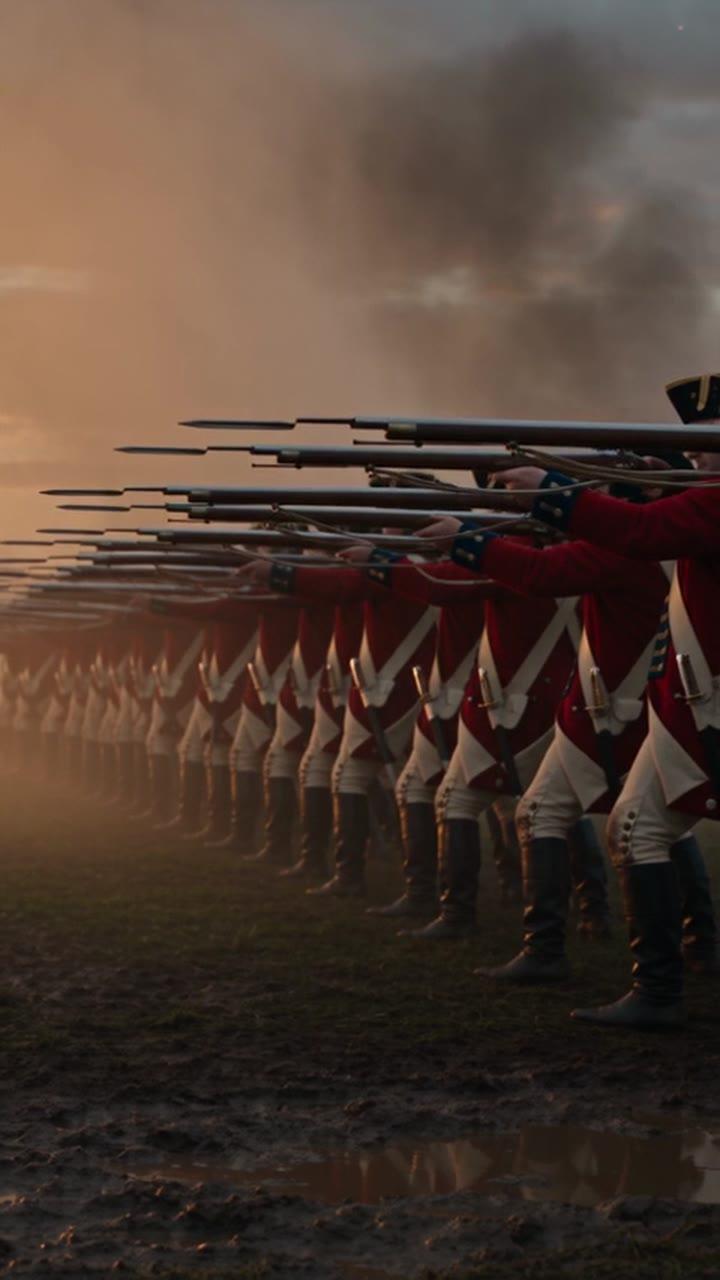
[14s] HARD CUT. SHOT 4, low-angle medium shot of the redcoat line, camera facing them from his position. An officer raises his sabre and screams "Charge!" and the whole line sprints straight at camera, mouths open yelling, boots throwing mud, fire and smoke behind them.

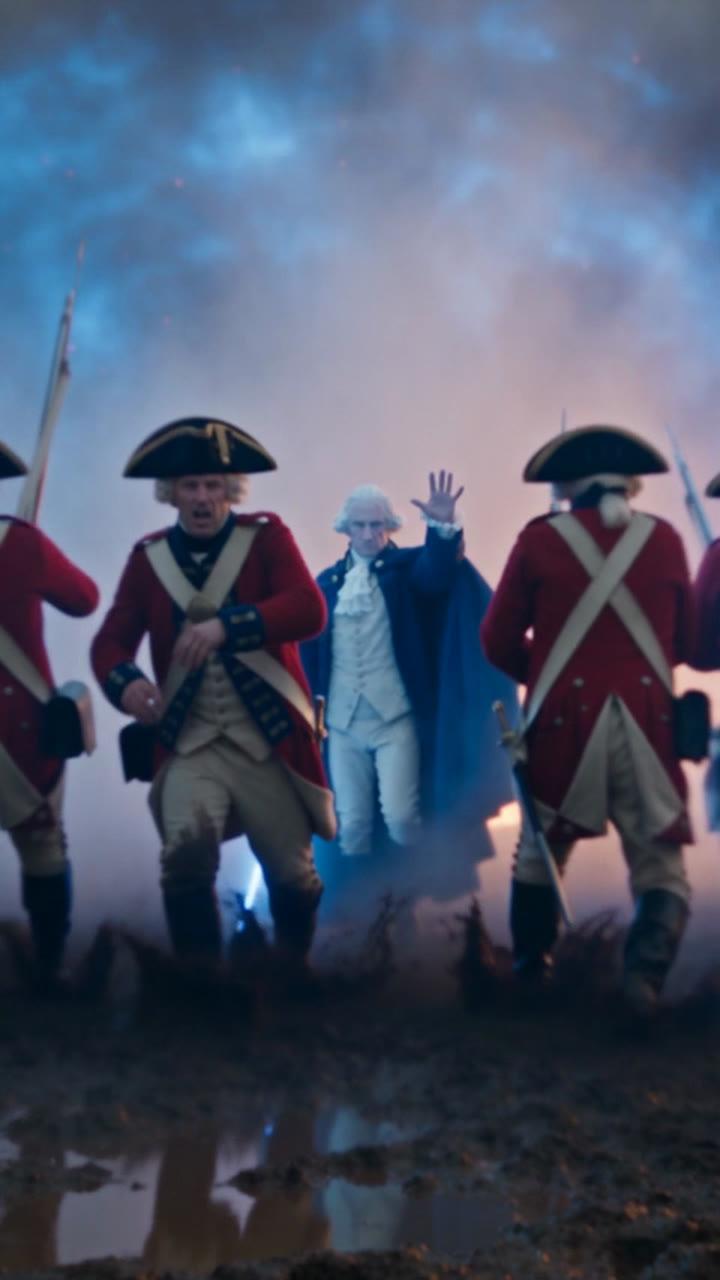
[17s] HARD CUT. SHOT 5, extreme macro close-up of the general's face, calm and furious. His open left palm thrusts toward camera into the foreground, huge and out of focus, a rippling blue shockwave bursting from it.

[19s] HARD CUT. SHOT 6, medium shot facing the charging redcoats, the general is not in this shot. The blue shockwave slams into them with enormous force: every soldier is lifted completely off his feet and hurled backward through the air, muskets flying from their hands, tricorn hats and powdered wigs ripping off their heads, revealing bald heads, a radial dust and mud shockwave exploding outward.

[22s] HARD CUT. SHOT 7, close-up looking up into the smoky orange sky. SPEED RAMP: smooth deceleration from real-time to extreme slow-motion 120fps, black tricorn hats and white powdered wigs tumbling and spinning through the air, ribbons fluttering, embers drifting past them, smooth acceleration back to 24fps real-time as they begin to fall.

[25s] HARD CUT. SHOT 8, low ground-level shot of the redcoats sprawled on their backs in the mud, bald, propping themselves up, faces astonished and afraid, staring toward him, wigs and hats landing in the mud around them.

[28s] HARD CUT. SHOT 9, slow dolly-in on the general standing alone, blade held low at his side, cloak stirring in the hot wind, staring them down with complete calm, courage and stoic intensity, fire and the setting sun behind him.

Global: sunset firestorm palette, blood-orange sun, burnt orange flame and charcoal smoke, electric blue blade and force light as the only cool color, reflecting in mud puddles. Vertical 9:16, anamorphic look, 35mm grain, heavy volumetric haze, drifting dust and embers, cloth inertia, hair physics, mud splash and dust shockwave physics. Hard cuts between every shot. Spoken lines are only his one line and the officer's "Charge!" Audio: roaring fire, low blade hum, three crackling blade impacts, the line yelling as it charges, deep bass whoomp of the blast, bodies thudding into mud, hats and wigs whooshing, NO BACKGROUND MUSIC. NO INSTRUMENTAL MUSIC. Only sound effects.
Where it says “the general”, the original tagged Washington’s character sheet. To keep your own character’s face, make them an actor and tag their sheet in the same places.
Why it works
Six lines worth copying
into any multi-shot prompt.
Most of the prompt is description. These six parts are what turn one generation into an edited sequence instead of one long, drifting shot.
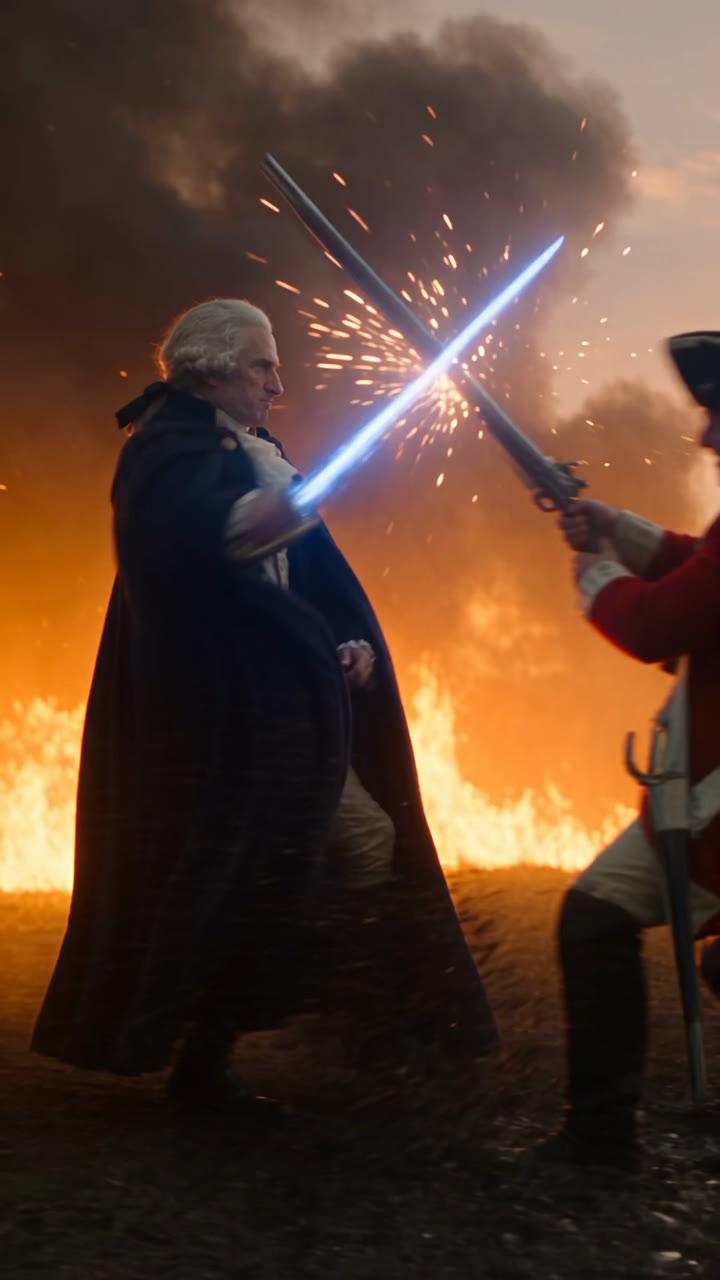
[0s] Shot 1
Tracking shot
he parries the first in a burst of sparks ... he never stops walking
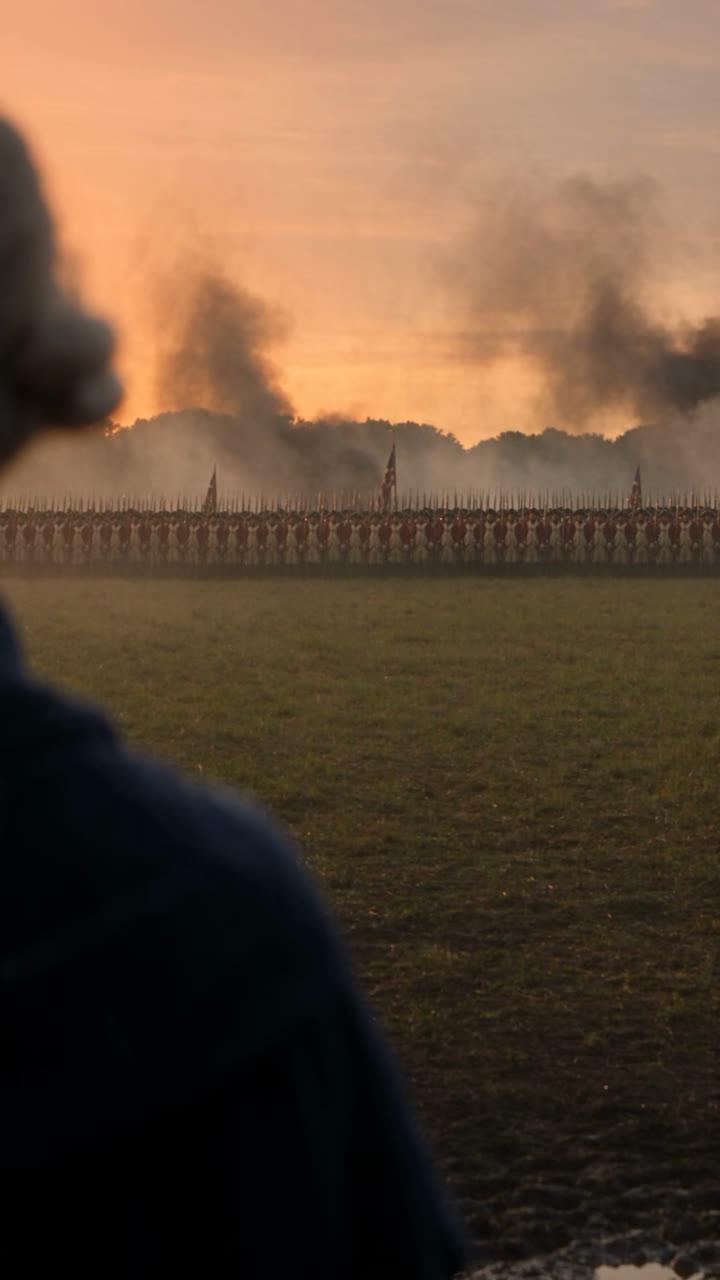
[6s] Shot 2
Whip pan
far across the open field, at least a hundred yards away
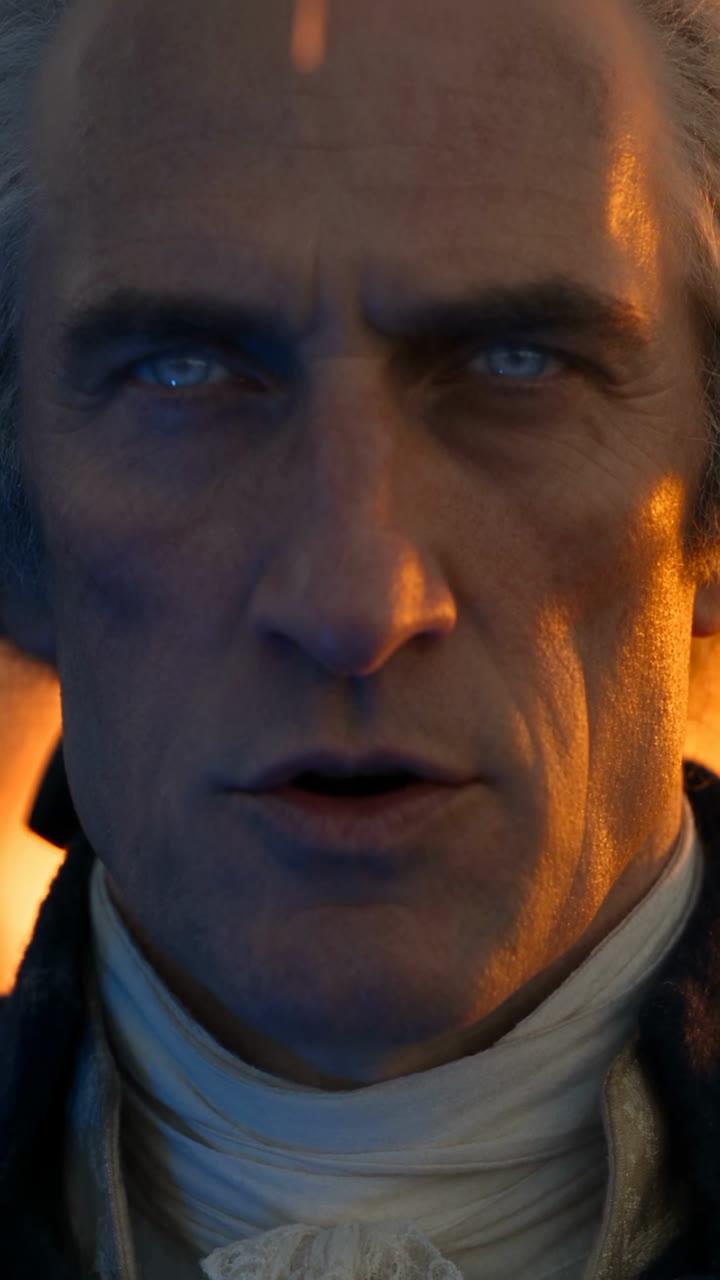
[8s] Shot 3
Macro close-up
"Lay down your arms, gentlemen, while you still have arms to lay down."
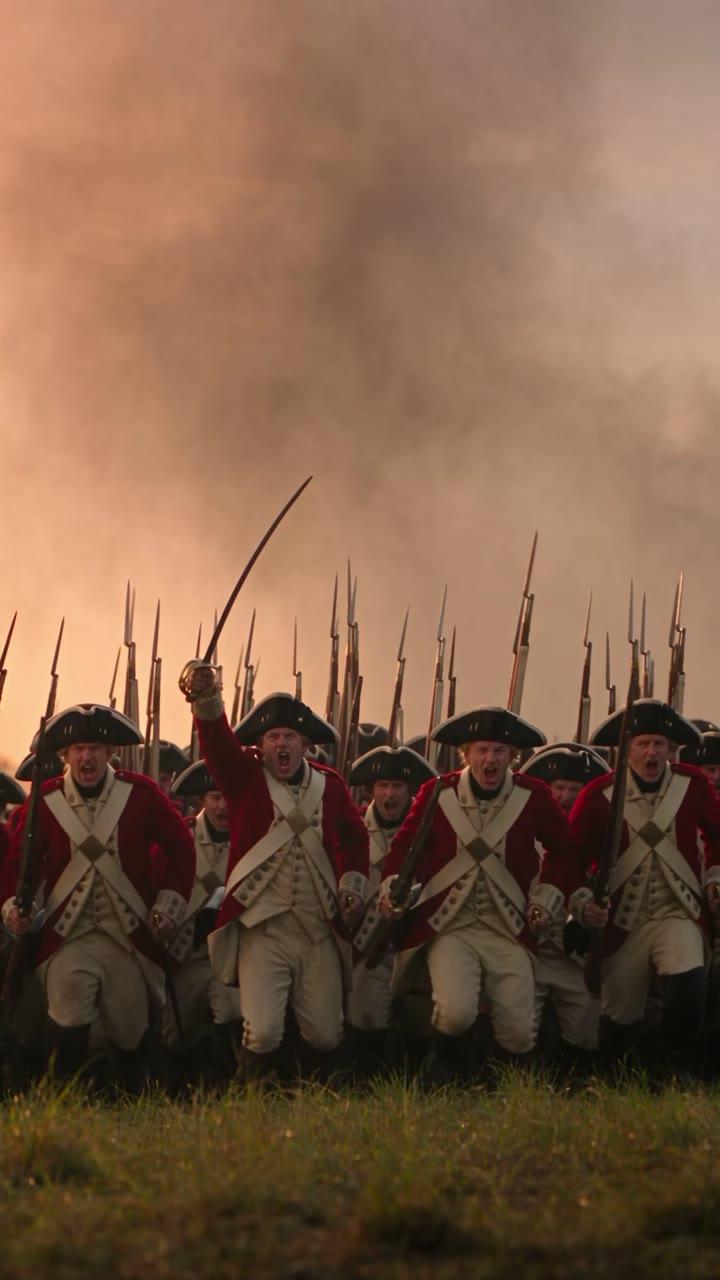
[14s] Shot 4
Low angle
An officer raises his sabre and screams "Charge!"
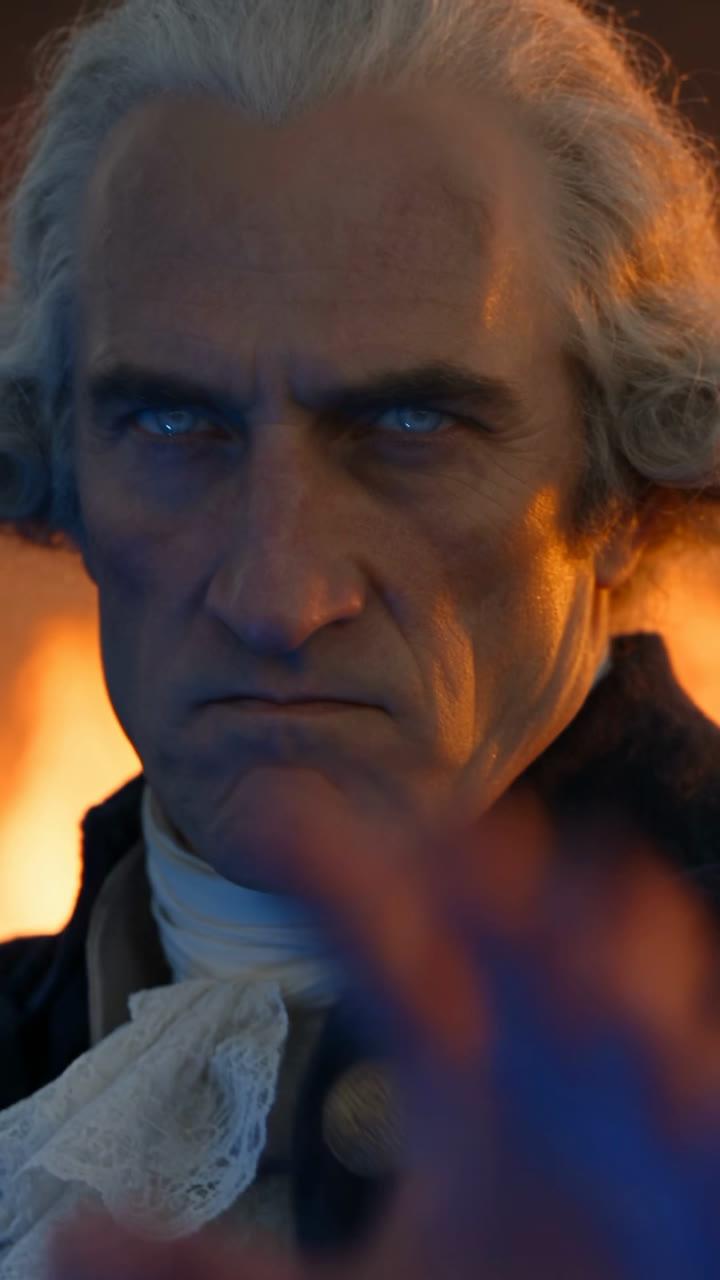
[17s] Shot 5
Macro close-up
His open left palm thrusts toward camera into the foreground
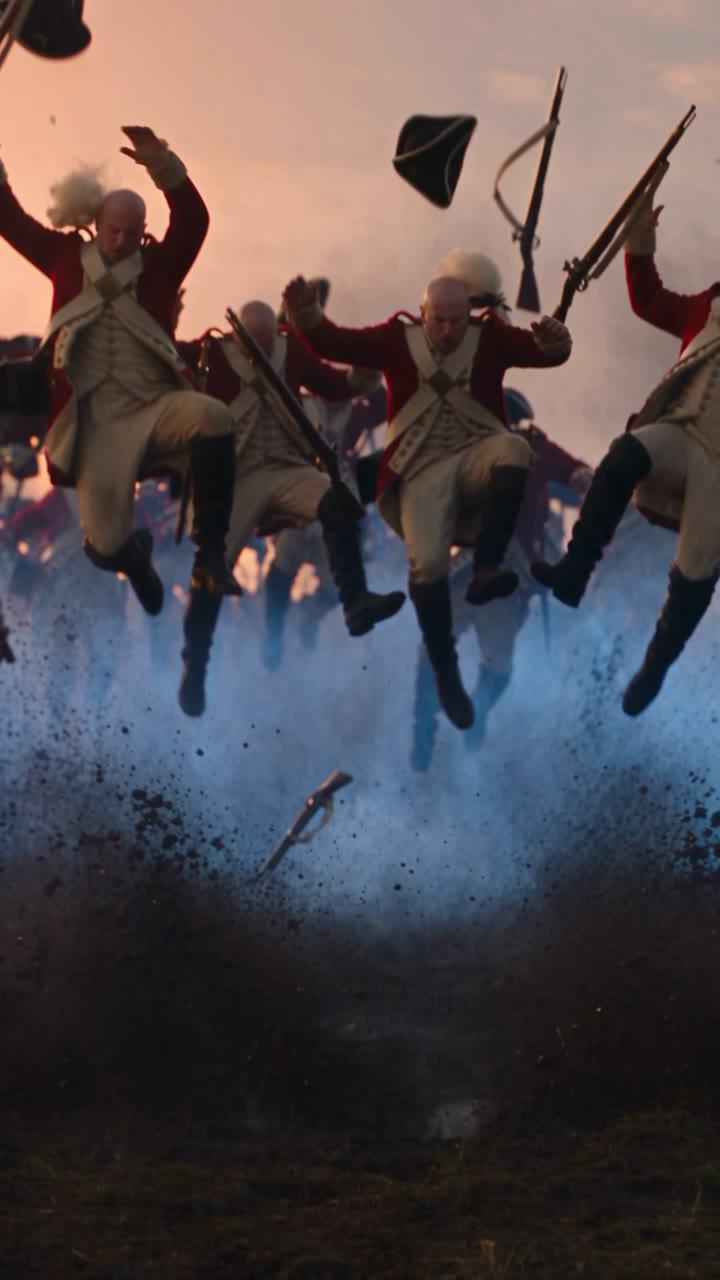
[19s] Shot 6
Medium shot
the general is not in this shot ... lifted completely off his feet
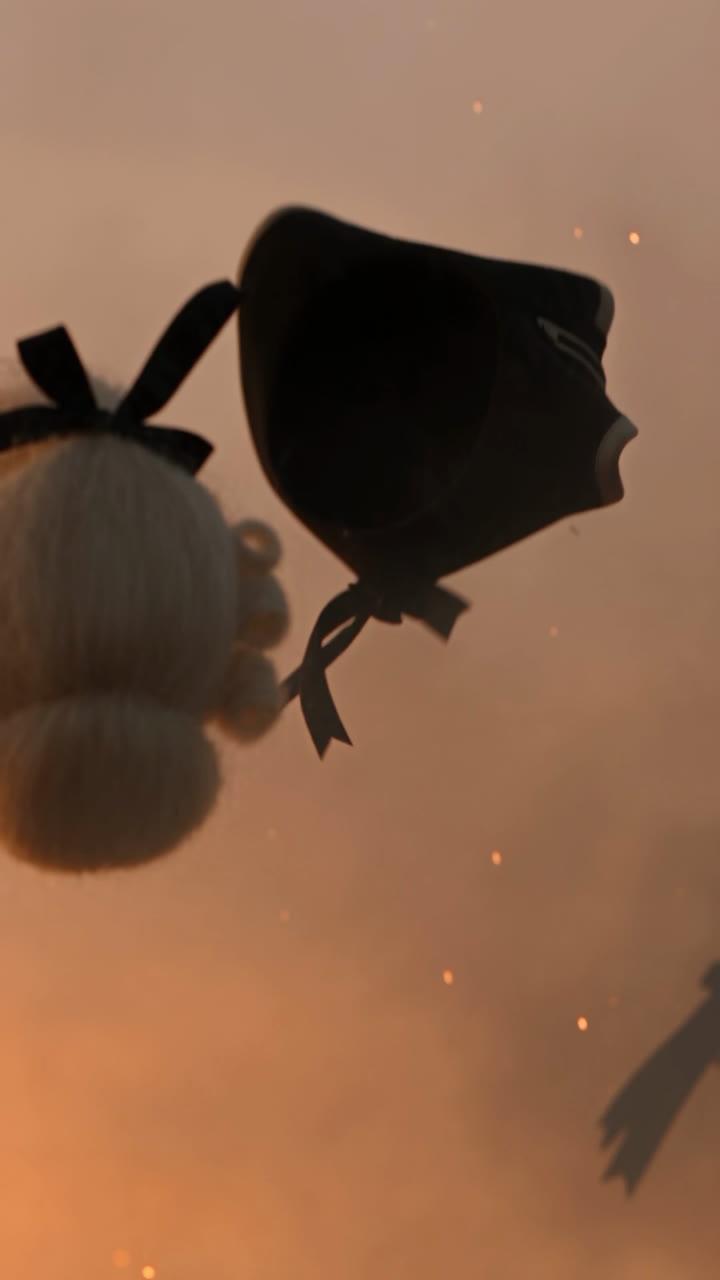
[22s] Shot 7
Speed ramp
tricorn hats and white powdered wigs tumbling and spinning
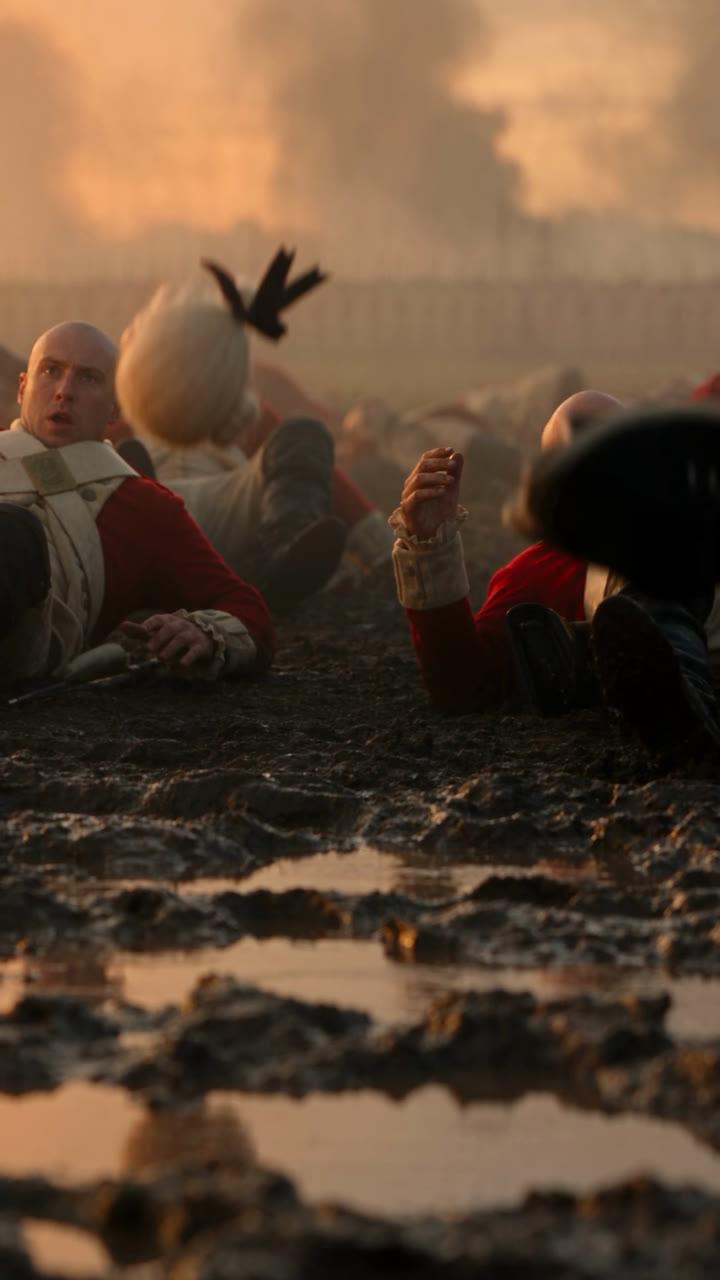
[25s] Shot 8
Ground level
sprawled on their backs in the mud, bald ... astonished
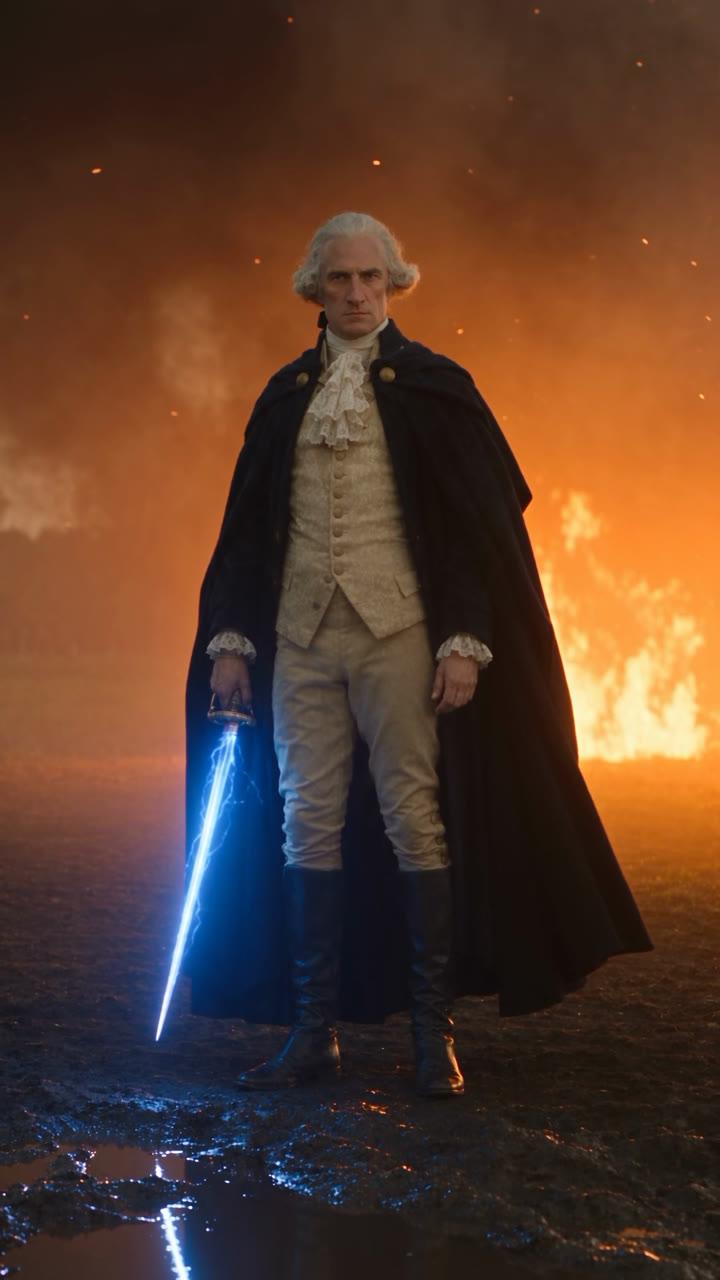
[28s] Shot 9
Slow dolly-in
staring them down with complete calm, courage and stoic intensity
The method
Five steps,
in the order the film was made.
The actor came first, the prompt second, and the draft told the prompt what to fix.
- 01
Create the actor
In the Actors tab, describe him: age, face, eyes, powdered hair tied with a black ribbon, the navy cloak, the cream waistcoat and lace cravat. Pick the Cinematic Live Action style and generate the character sheet.
- 02
Tag his sheet and describe him in the first line
A name does not tell the model what someone looks like. Tag the character sheet at the start of the prompt and describe him right after it, so the engine reads the picture and the words together.
- 03
Make a 480p draft and watch it closely
Set Seedance 2.5 to 30 seconds, vertical. Watch the draft like an editor and write down what is wrong before you change a word of the prompt.
- 04
Rewrite the prompt as a shot list with hard cuts
Nine shots, each on its own timecode. Say where the camera is, how far away things are, and when the hero is not in the shot, so the camera can turn to the redcoats.
- 05
Finalize the best take at 1080p
Make a couple of drafts of the new prompt, pick the one that lands, and finalize only that one at 1080p.
Step 1 · The actor
Make Washington an actor
before you write a shot.
In the Actors tab, paste a description and pick the Cinematic Live Action style. Pray Studio turns it into a character sheet, and that sheet is what holds his face for all thirty seconds.
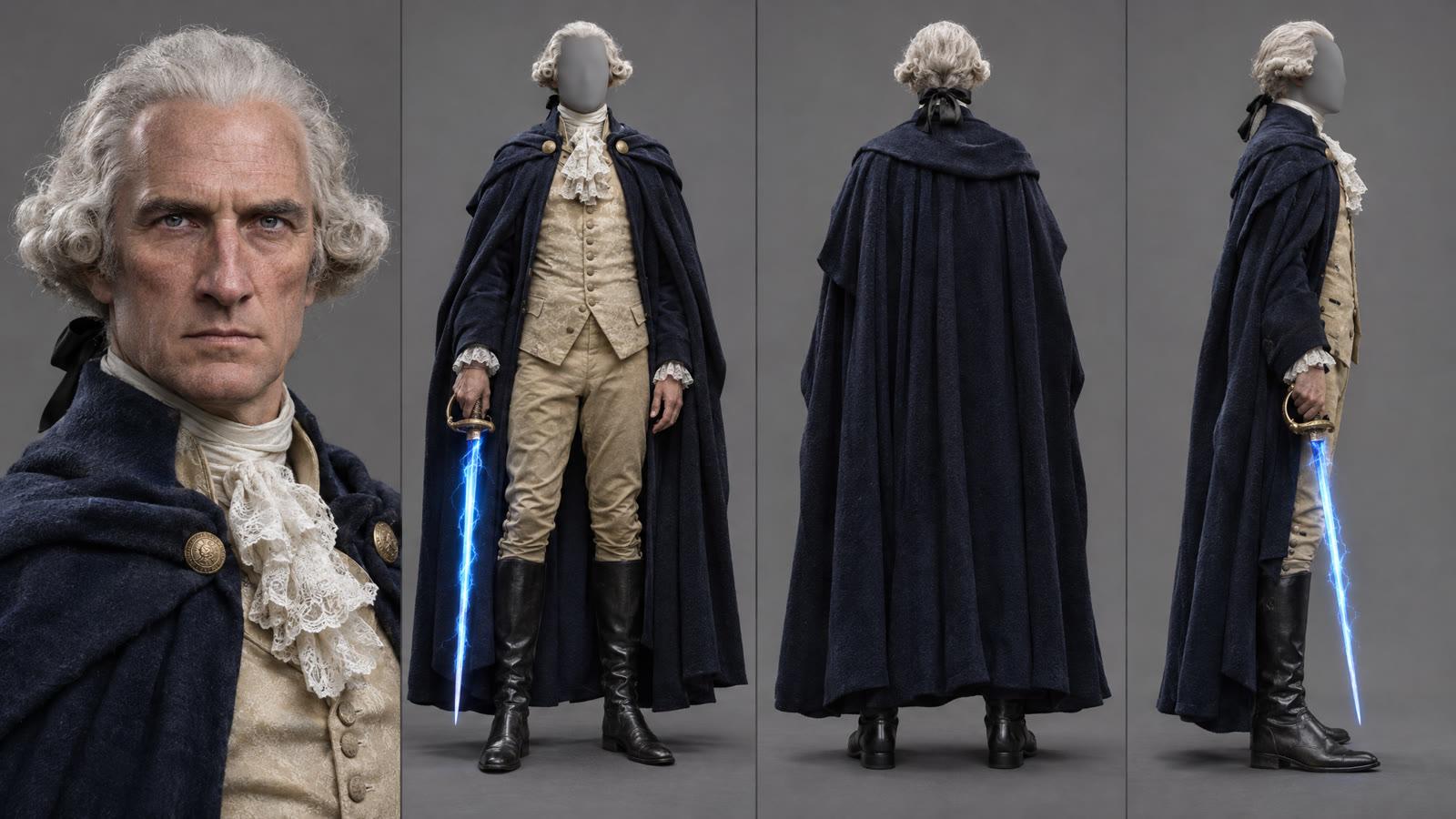
The actor description, as typed
WashingtonActors tab · Cinematic Live Action
A tall, lean, commanding man in his early fifties, an 18th-century American general. Long oval face with high cheekbones, a strong straight nose, a firm square jaw and thin, tightly set lips. Pale blue-grey eyes under heavy brows, with a cold, steady, intense stare. Weathered fair skin with faint lines at the eyes and forehead, clean-shaven. Powdered white-grey hair swept back from a high forehead, rolled in soft curls over the ears and tied at the nape with a black ribbon. He wears a long, heavy navy-blue wool cloak draped over both shoulders, a cream silk waistcoat with a white lace cravat, buff-colored breeches and tall black riding boots.
Step 2 · The tag
Tag his sheet,
then describe him anyway.
A name does not tell a video model what someone looks like. So the prompt never says Washington. It tags the character sheet, which the engine receives as Image 1, and describes him right after it.
@Washington_sheet1.png throughout: a tall commanding colonial general in his early fifties, long face, strong straight nose, firm jaw, pale blue-grey eyes, powdered white hair tied at the nape with a black ribbon...
The picture carries the face. The words carry the costume and the age. Every shot after the first line says “the general” and the engine keeps the same man, from the wide tracking shot to the macro close-up of his eyes.
Step 3 · The first draft
Watch the draft like an editor,
then fix the prompt.
The first prompt was a paragraph, not a shot list. Its 480p draft got a lot right, and his line landed. Three things did not.
- 01
The opening fight ran too long.
About ten seconds of sword work before anything else happened. The new prompt gives it six.
- 02
The redcoats were right behind him.
The line stood a few paces away, so the charge had nowhere to go. The new prompt puts them at least a hundred yards across the field, small in the distance.
- 03
The blast was a wide shot.
You saw him in the middle of the redcoats but never felt the hit. The new prompt cuts to a macro close-up of his face and palm, then cuts to the redcoats alone as they are thrown off their feet.
The line
The blast
Draft at 480p, decide at 1080p. A draft exists to be wrong. Write down what you see before you touch the prompt, then make two drafts of the new version, pick the one that lands, and finalize only that one.
Questions
Questions about the George Washington AI video.
- Can AI make a video of George Washington?
- Yes. This 30-second George Washington AI video was made in Pray Studio on Seedance 2.5. Washington was made first as an actor from a written description, then a single video prompt directed nine shots of him on a 1776 battlefield.
- What AI video generator made this?
- Seedance 2.5, inside Pray Studio. It makes up to 30 seconds in one generation, vertical or wide, with sound. The draft was 480p and the final take 1080p.
- How do you get hard cuts inside one AI video generation?
- Write the prompt as a shot list. Give every shot its own timecode in brackets, start it with HARD CUT, and say where the camera is. Seedance 2.5 then edits between the shots instead of making one continuous move.
- How do you keep the same face in every shot?
- Create the character as an actor first so he has a character sheet, tag that sheet in the prompt, and describe him in the first line. The sheet carries the face and the description carries the costume.
- Why is his name not in the prompt?
- A name does not tell a video model what someone looks like. The character sheet and the written description do, so the prompt calls him "the general" and lets the picture do the rest.
- Is this historically accurate?
- No. It is a playful action film, not a history lesson. Washington did fight the British in New York in the fall of 1776, including at the Battle of Harlem Heights, but with muskets and swords, not a blue blade.
- Can I try this prompt myself?
- Yes. The "Try this prompt in Create" button opens the Create tab in Pray Studio on Video, set to 30 seconds and vertical, with the whole prompt filled in. Nothing is made until you press Generate.
- Can I use my own character instead?
- Yes. Make your own actor in the Actors tab, then tag their character sheet wherever the prompt says "the general" and rewrite the first line to describe them.
Your turn
Open the prompt
and press Generate.
The Create tab opens on Video, 30 seconds, vertical, with every shot of Washington Blast already written in. Change the general, the battle or the line, and make it yours.
Pray Production Studio is made by Pray.com.