
Paste a passage or a script. Get scenes, shots and the same cast in every one.
AI Bible video generator From Scripture to finished film
Biblical Mode keeps each frame in its period. Then edit and export the film.
The short answer
Pray Studio is best for turning a Bible passage into a finished film: scenes, shots, a cast that looks the same in every shot, voices, music and an edit, all in one studio.
Paste a passage or your own script. The studio breaks it into scenes and shots, saves each character once so they hold from shot to shot, and generates every shot as video. Biblical Mode adds period detail and guards against modern clothing or objects in the frame. Your takes land on a timeline you can edit and export.
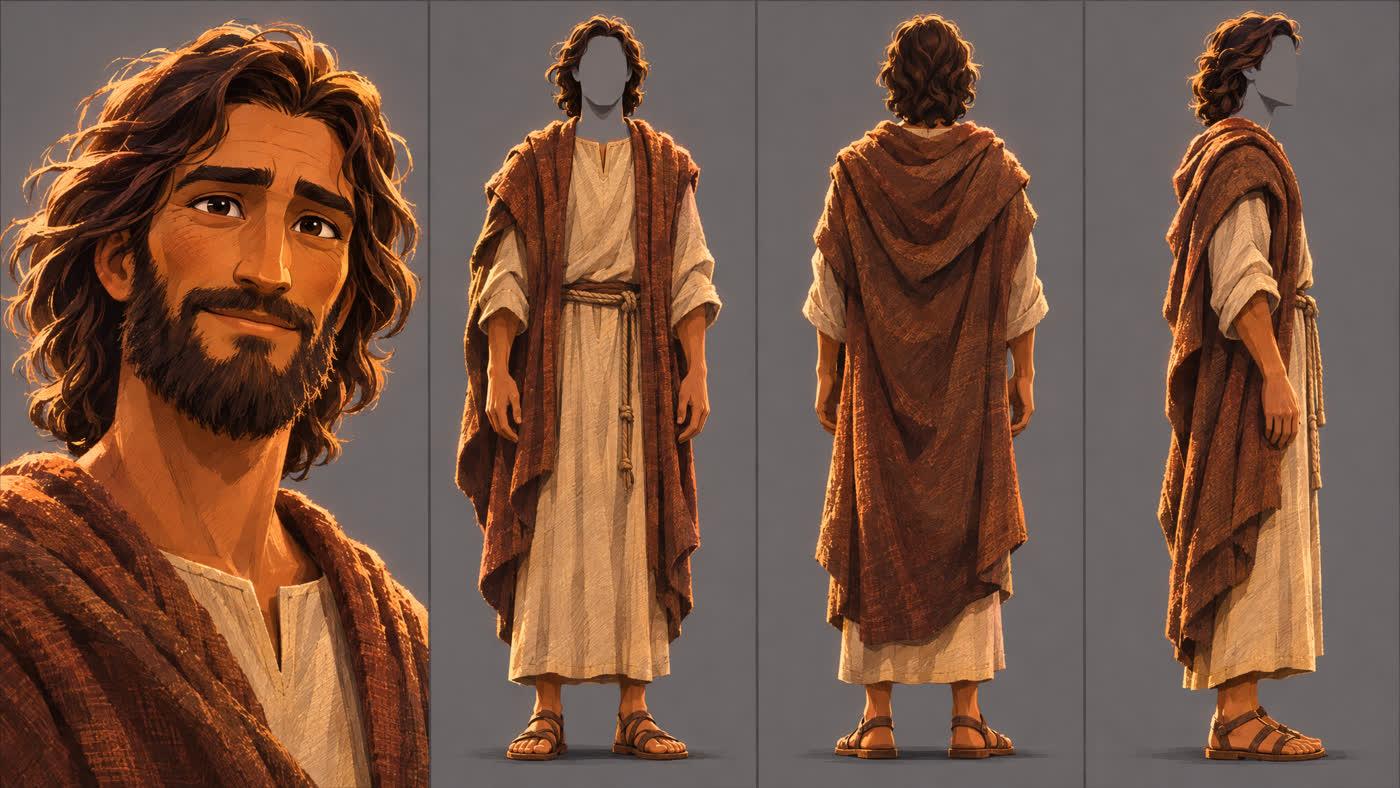
One character sheet. Every shot.
One sheet, the same Jesus in every shot

Take 3 · At the railing

Take 4 · Found

At the frosted window
Real takes. Real prompts.
Bible films made in Pray Studio
A battle from the book of Job
One 30-second Director Mode take from a single prompt: the Accuser reaches for the sleeping Job, and Michael breaks the needle of black fire with his sword. It is one shot of a 25:01 film.
Jesus, the same in every take
A whole short from one script: the cast, their voices, the places and the score, made in Director Chat in one evening.
A pastor inside the Christmas story
Film a presenter once and add the footage as a video reference. Pastor Jack Graham walks through Bethlehem in his own suit, speaking his own lines.
How it works
How to make an AI Bible video
- 1
Paste a passage or a script
The studio reads it and breaks it into scenes and shots, each with a description you can change.
- 2
Cast your characters once
Save each person as an Actor, from a description or a photo. The same face and clothes are reused in every shot.
- 3
Direct every shot
Turn on Biblical Mode, describe the shot and roll takes in Director Mode. Draft at 480p first, then finish the takes you keep.
- 4
Edit and export
Your takes land on a timeline in shot order. Add narration, voices and music, then export an MP4 or a Premiere Pro project.
Questions, answered
Can AI make a Bible video from Scripture?
Yes, one shot at a time. Paste a passage or a script and Pray Studio breaks it into scenes and shots, generates each shot as a video clip, and puts the clips on one timeline with the same characters in each. You approve every shot before it goes in the film.
How do I keep Jesus and the other characters looking the same?
Save each character once as an Actor, from a description or a photo. The studio makes a character sheet and reuses that face and clothing in every shot the character is in.
What does Biblical Mode do?
It adds biblical-era visual context and period details to your shots, and guards against anachronisms like modern clothing or objects in the frame. The script stays yours: the studio films what you write.
How long can an AI Bible video be?
As long as your script. Each shot is its own generation, and the timeline holds as many shots as the film needs. The story of Job on this page runs 25:01.
Can I add narration, voices and music?
Yes. Characters can speak their lines in the take itself, and the studio adds narration, character voices and music on the timeline.
How much does an AI Bible video cost?
In Pray Studio you spend credits on what you generate, and every Generate button shows the exact cost before you run it. A 10-second Seedance 2.5 clip uses about 335 credits at 720p, and a 10-second Kling 3.0 clip about 183. Plans start at $19 a month with 1,000 credits.
Tell it well
Paste a passage or a script and see it as scenes and shots, with the same cast from the first shot to the last.