
Paste the transcript or upload the sermon audio. Get a shot for every line.
Sermon to video Your message as a cinematic film
Keep the preacher’s own voice under the cut, then export it for Sunday or for social.
The short answer
Pray Studio is best for turning a sermon into a video that shows what is being preached: a shot for every line, the same cast throughout, and the preacher’s own voice under the cut.
A sermon clipper cuts highlights out of the Sunday recording. Pray Studio films the message instead. Paste the transcript or upload the audio, the studio breaks it into scenes and shots, and you direct a picture for each line. The sermon audio goes on the timeline under the finished cut.
One sermon. A shot for every line.
What he preached, and what the edit cut to

Shot 1 · 0:08
The siege
“They would hit it with stone, they would hit it with wood, and they would chip away at the wall.”
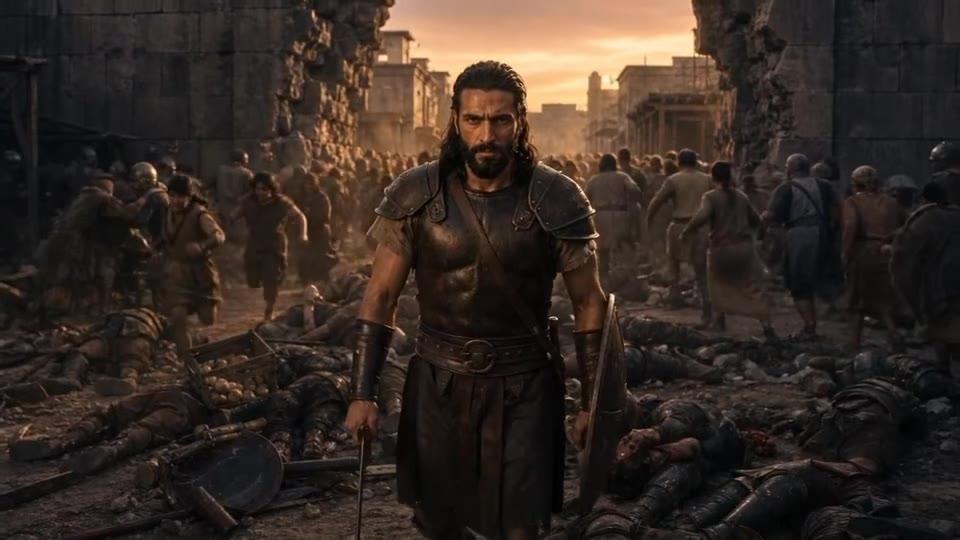
Shot 2 · 0:24
The metaphor gets a face
“There would be one soldier that would stand in between the wall.”

Shot 3 · 0:58
The turn
“You have the next generation that’s being sucked into something that’s trying to bring them anxiety and depression.”
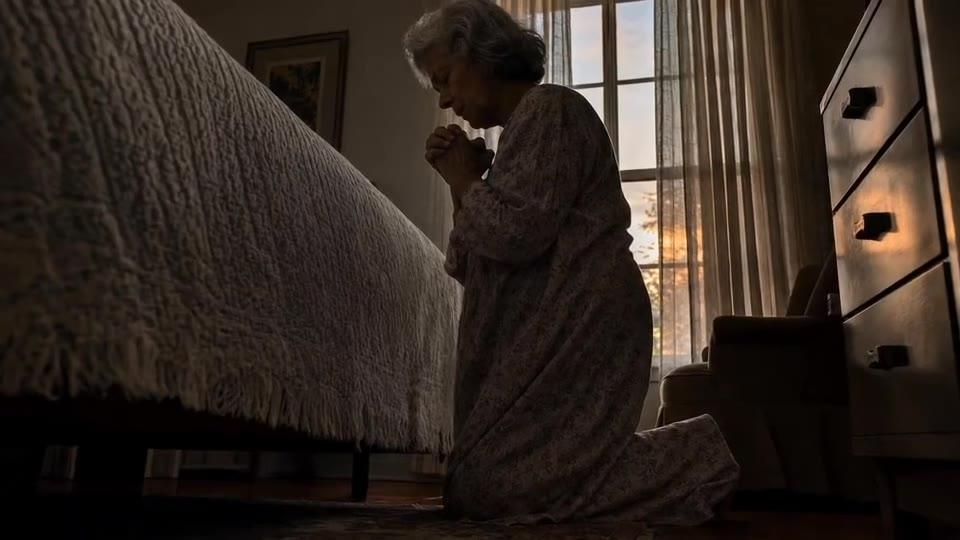
Shot 4 · 1:06
The application
“A mother, a grandmother, a father, a grandfather that gets on their knees.”
Real takes. Real prompts.
Sermons made in Pray Studio
A 1:29 clip, 79K+ views
Every visual in this clip was generated in Pray Studio, with the sermon audio under the cut. It used $83 in generation cost.
The pastor, inside the story
Film your pastor once and add the footage as a video reference. The filmed take is on the left, the generated scene on the right, with his own spoken performance.
A story instead of a sermon scene
Not every message is a Bible scene. Never Alone is a modern-day story about Jesus, written as a script and made in Director Chat in one evening.
How it works
How to turn a sermon into a video
- 1
Pick a passage with one picture
Look for 60 to 90 seconds where the preacher paints a single image. A clip built around one picture is easy to watch and easy to remember.
- 2
Paste the transcript or the audio
Start a project and paste the transcript, or upload the sermon audio, as your script. The studio breaks it into scenes and shots.
- 3
Cast once, then direct each shot
Save a recurring character as an Actor so he looks the same in every shot. In Director Mode, say who is in the shot, where it is, what happens and how the camera moves.
- 4
Lay the sermon under the cut
In Post-Production, add the sermon audio to the timeline and line each shot up with the line it shows. Then export.
Questions, answered
Is this a sermon clipper?
No. A sermon clipper finds highlights in the recording and cuts them out. Pray Studio makes new footage that shows what the preacher is saying, and lays the sermon audio under it.
Do I need footage of the pastor on camera?
No. The sermon audio or transcript is enough, and every visual can be generated. If you do have footage, add it as a video reference in Director Mode to place the pastor in the scene.
Can I use our own sermon audio?
Yes. Upload the audio as your script so the studio can break it into shots, then add it to the timeline in Post-Production so the preacher’s own voice carries the video.
How long should a sermon video be?
For social, 60 to 90 seconds built around one picture works well; the clip on this page runs 1:29. A whole message can become a longer film, since each shot is its own generation and the timeline holds as many as you need.
Can the same characters appear in next week’s video?
Yes. An Actor is saved to your workspace, so the same face and clothing can be cast again in the next project.
How much does it cost to turn a sermon into a video?
In Pray Studio you spend credits on what you generate, and every Generate button shows the exact cost before you run it. A 10-second Seedance 2.5 clip uses about 335 credits at 720p, and a 10-second Kling 3.0 clip about 183. Plans start at $19 a month with 1,000 credits.
Preach it
Paste a sermon and see it as scenes and shots, with the preacher’s own voice under the cut.